
Restaurant POS software
Restaurant POS Software for Busy Evenings and Large Party Orders
Restaurant POS software from GPOS is cloud POS for sit-down restaurants, covering the floor, the kitchen and the bill. The table plan shows which tables are free, kitchen tickets print on a KOT printer or show on a display, and a large party's order can start as a quotation.
We are working
with the world’s biggest brands


Restaurant 6 features
Floor and kitchen tools
for a busy restaurant
Beyond the table layout and the menu, these tools help a restaurant through a full evening: free tables shown to waiting guests, a kitchen screen set up your way, large orders kept readable, kitchen printers, guest history and party quotes.
-
Free tables shown to waiting guests
Show table availability on a display near the entrance, so waiting guests can see when a table frees up instead of asking the host every few minutes.
-
A kitchen screen arranged your way
Choose how orders are laid out on the kitchen display, so each cook reads tickets in the order and format that suits their station and your kitchen's routine.
-
Large party orders easy to follow
When a big party orders at once, the kitchen display sets the whole order out clearly, dish by dish, so the cooks can keep track of a large table without missing a plate.
-
KOT printer or kitchen screen
Print kitchen tickets on a thermal KOT printer or show them on a kitchen display, whichever suits your kitchen. We also supply the printers and screens.
-
Returning guests and their past orders
Save guests as customers and see their past visits and orders, so staff can greet a regular properly and remember how they like their food.
-
Quotes and deposits for party bookings
Prepare a quotation for a birthday or office party menu, take an advance payment when the customer confirms, and keep the order and its deposit on record until the day.
-
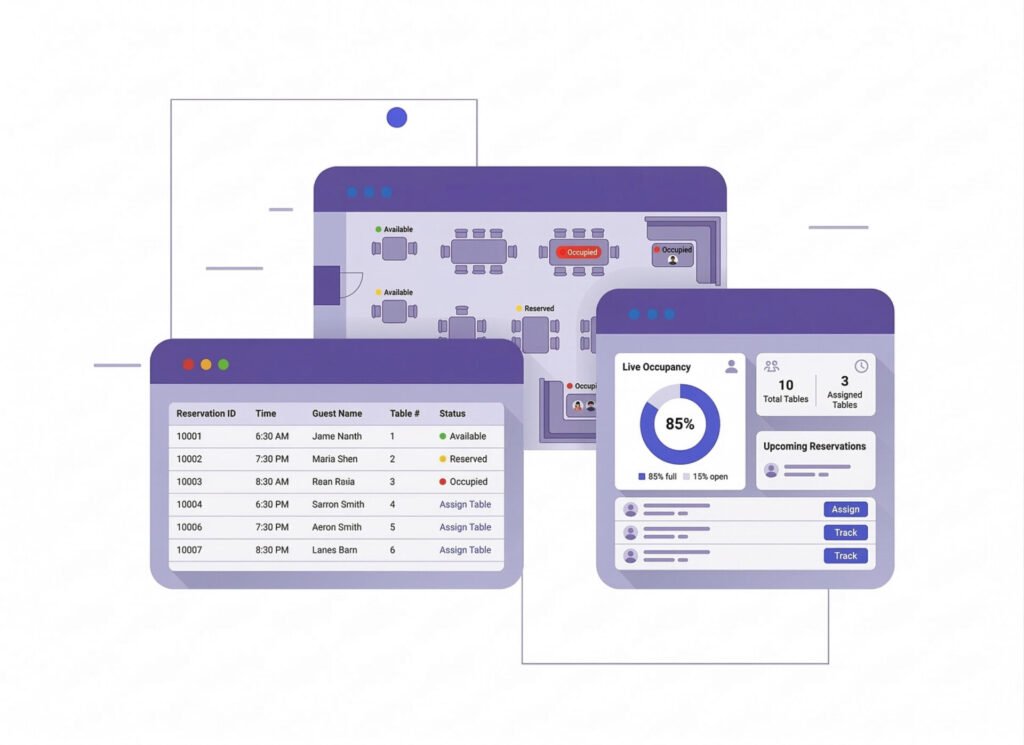
Table
Management SystemGPOS Table Management System streamlines restaurant operations by providing a visual layout of tables, enabling staff to manage reservations, track occupancy, and assign tables efficiently. It enhances the dining experience with real-time updates, ensuring faster service and better organization. Ideal for maximizing seating capacity and improving customer satisfaction.
- Effortless Table Management with GPOS Restaurant Management System
- Quickly assign tables to reduce wait times.
- Optimize seating arrangements for comfort and capacity.
- Keep customers informed about table availability via mobile apps or displays.
- Reduces the chances of double-booking or empty tables during peak hours.
-
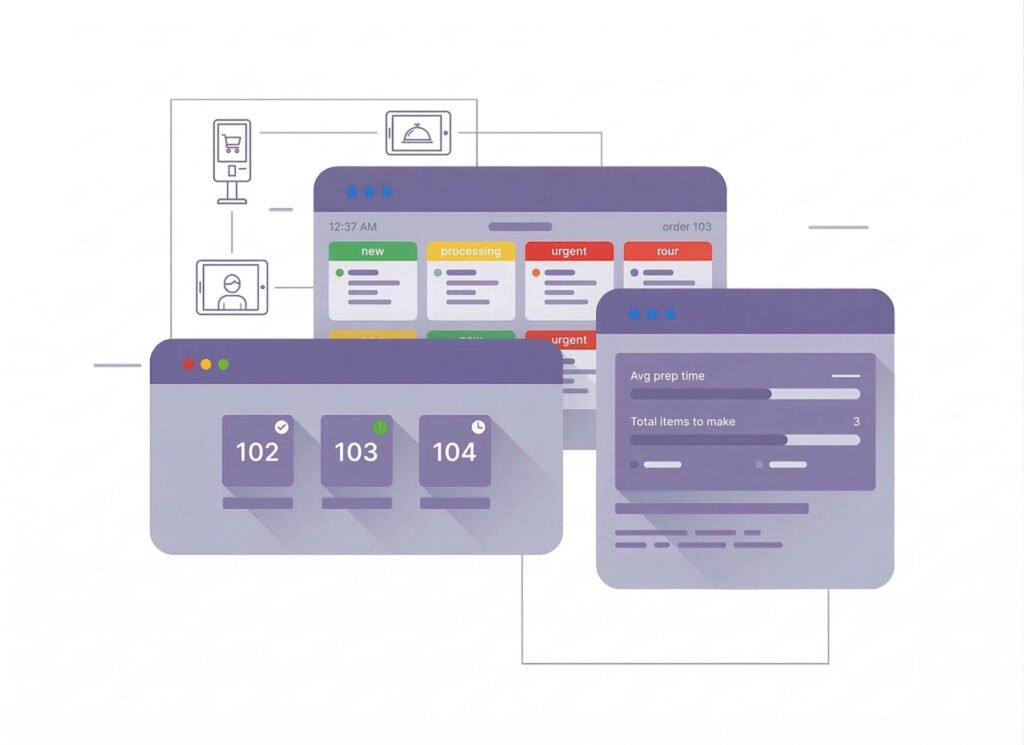
Kitchen
Display System (KDS) SystemKitchen Display System (KDS) is a digital solution designed to streamline communication between the front-of-house and the kitchen staff in restaurants, cafes, and other foodservice establishments. It replaces traditional paper tickets with digital screens or tablets, providing a more organized and efficient way to manage orders
- Real-Time Order Updates
- Customizable Layouts
- Orders from the POS system are instantly sent to the KDS, eliminating delays caused by manual ticketing
- Modifications, special requests, and priority items are highlighted for easy recognition.
- Clear visuals for easy tracking of multi-course meals or large orders.
-
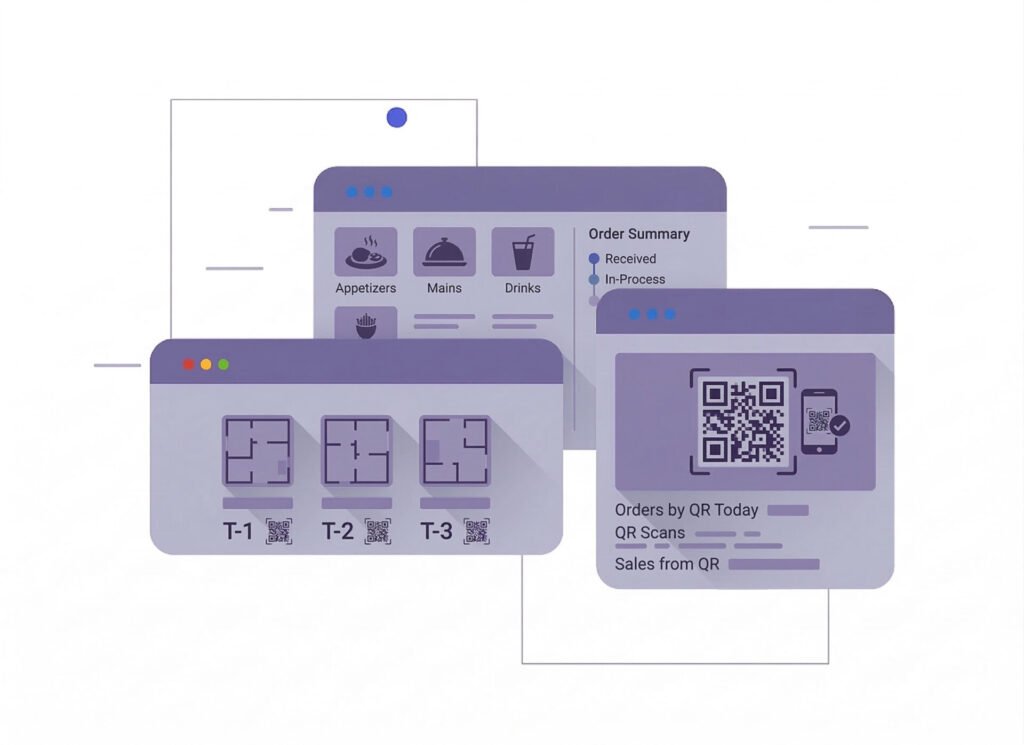
QR Code
Ordering SystemGPOS QR Code Ordering System for restaurant POS streamlines the dining experience by allowing customers to scan table-specific QR codes to browse menus, place orders, and make payments directly from their smartphones. This contactless solution boosts efficiency, reduces wait times, and enhances customer satisfaction while seamlessly integrating with your POS system.
- Faster Order Processing
- Reduced Operational Costs
- Improved Order Accuracy
- Increased Revenue Opportunities

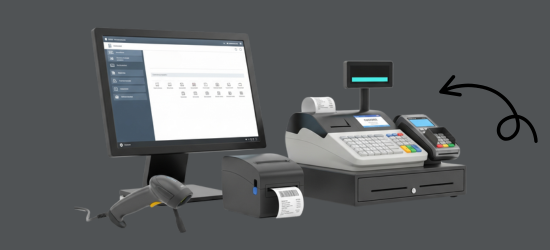
One platform, every module
The Restaurant POS Software Behind a Full Evening
On a full evening, these modules keep the floor, the kitchen and the till in step: tables seated, tickets cooked, bills settled, and stock, staff and books updated behind every order.
-
Buy & make
Purchases and production
-
Stock
Every shelf and warehouse
-
Sell
At the counter and on invoice
-
Get paid
Customers, dues and books
-
Grow
Staff, messages and branches

1 · Buy & make
BackOffice
Kitchen buying, supplier dues and staff access in one office.
- Purchase orders for the week's produce
- What each supplier is owed, at a glance
- Returns of goods that arrive damaged
- An activity log of every change

1 · Buy & make
Manufacturing
Each dish built from a recipe of measured ingredients.
- Recipes with the weight of each ingredient
- Ingredients deducted for every batch made
- Prep items ready for the evening service
- Raw material alerts for the kitchen

2 · Stock
Inventory
Kitchen stock kept right through a busy evening.
- Every ingredient in its own unit
- Low-stock alerts before the dinner rush
- Expired items flagged in the store
- Excel import for a long ingredient list
2 · Stock
Multi Warehouse
Dry store, cold room and kitchen, each with its own stock.
- Stock held in dry store and cold room
- Daily issues from store to kitchen
- Shelf locations for every ingredient
- Receiving branch confirms each transfer

3 · Sell
Sales
Bills settled fast when every table wants to pay at once.
- Several payment methods on one bill
- Mushak-6.3 invoices for every table bill
- Sales and returns reports by day
- A4 invoices for party and event bookings

3 · Sell
POS (Point of Sale)
The floor plan, the order pad and the till on one screen.
- Tables showing minutes since they opened
- New items only on each extra KOT
- Bills split between guests at one table
- Orders moved when a party changes table

3 · Sell
Order & Quotation
Party bookings from the first quote to the final bill.
- Party menus quoted before the date is set
- Deposits taken when the host confirms
- The booking turned into an invoice
- Changes saved while the menu is in draft

3 · Sell
Services
Outside catering and events run on job cards to the invoice.
- Event job cards with the work listed
- Catering invoices raised from the job card
- Serial numbers for items you sell
- Supplier RMA for faulty units

4 · Get paid
Accounting
Each night's takings, the bank and the expenses in one ledger.
- Cash and bank accounts kept up to date
- Daily expenses from gas to table linen
- Bank statements reconciled, also by import
- Day book, trial balance and profit and loss

4 · Get paid
CRM
Know your regulars before they sit down.
- Guest profiles with past visits and orders
- Reward points earned on every bill
- Dues kept for corporate accounts
- Gift vouchers for birthdays and anniversaries

5 · Grow
Multi business / Multi Branch
A second restaurant runs from the same account as the first.
- Each restaurant with its own stock and staff
- Branch-level permissions for managers
- Ingredients transferred between branches
- Reports per branch and for the group

5 · Grow
Communication
Messages to guests and notices to the team, from one place.
- Order SMS when a party booking is taken
- Automatic SMS and email to regulars
- Messages under your own sender ID
- Team notices before a big night

5 · Grow
HRM
Rosters, attendance and pay for the floor and the kitchen.
- A record for every waiter and cook
- Evening shifts and daily attendance
- Leave planned around busy nights
- Salaries calculated from attendance
Restaurant Getting started 5 steps
How GPOS
works in your
restaurant
Getting your restaurant running on GPOS takes five steps. A live table layout shows which tables are free, occupied or reserved, which cuts the chance of double-booking at peak hours.
-
Map tables and zones
Arrange tables, booths and seating zones in a visual floor plan, across more than one floor if your restaurant needs it.
-
Load one menu everywhere
Add dishes, prices and modifiers once, and the same menu appears on your POS, your kitchen display and the QR menu guests scan at the table.
-
Seat guests and take orders
Assign walk-ins and reservations to free tables, then take orders at the table, or let guests order and pay from their phones.
-
Serve and settle the bill
Orders reach the kitchen display instantly, with modifications and special requests highlighted. When guests finish, take cash, card, mobile wallet or online payment.
-
Run one branch or many
Manage a single diner or several branches on one platform, with branch-level permissions and real-time reports for each location.
Customer stories
Feedback From Real Customers
Shop owners on what changed after their billing, stock and accounts moved to GPOS.
This POS software has made our daily sales process much faster and more organized. The interface is simple and very easy to use.
Great customer support and customizable features. This POS solution perfectly fits our business needs
GPOS System has transformed our salon and spa operations. Billing, accounting, and inventory management are now faster, more accurate, and easier to track. It saves us valuable time every day and helps us serve customers better
We use GPOS System to manage billing, accounting, and inventory for our electronics store. It is fast, reliable, and easy to use. The real-time reports and stock management features have improved our efficiency, reduced errors in our everyday business operations
Using GPOS System for our Engine Oil distribution business has transformed operations. Billing, inventory, and accounting are now faster, accurate, and well-organized. Real-time stock tracking and detailed reports help us make better business decisions every day
I use GPOS System for my computer hardware business to manage billing, inventory, and accounting. It is reliable, easy to use, saves time, improves accuracy, and helps me efficiently manage daily business operations and stock control in single software
We use GPOS System in our supershop to manage billing, accounting, and inventory. It’s fast, reliable, and easy to use. The system has improved our efficiency and helped streamline daily operations significantly
We use GPOS System in our IT Shop every day. It’s fast, reliable, and easy to use. Inventory, sales, and billing are now fully organized, helping us save time and improve customer service. I highly recommend it for any IT shop
We've been using GPOS System at Adnan Drug House, and it has significantly improved our daily operations. Inventory tracking, billing, and reporting are now faster and more accurate. Highly recommended
GPOS makes billing, inventory, and sales management easy. Manage products, clients, and reports in one for trading businesses. Highly recommended for trading business that wants to manage effortlessly!
GPOS System has been a great solution for our bike shop. It makes billing, inventory management, and sales tracking simple and efficient. Managing spare parts, customers, and reports is now much easier
GPOS System has been an excellent solution for our toy shop. It simplifies billing, inventory management, and sales tracking, making daily operations much more efficient. Managing products, customers, and reports is now easy
GPOS System has been a game-changer for our pharmacy. It makes billing, inventory control, and sales management fast and accurate. Managing medicines, stock levels, customers, and reports is now much easier
Safa Departmental Store has greatly benefited from using GPOS System. It has simplified billing, inventory management, and sales tracking, making daily operations faster and more efficient
GPOS System has been an excellent solution for our sanitary products business. It simplifies billing, inventory management, and sales tracking, helping us manage stock accurately and serve customers efficiently. The system is fast, reliable, and easy to use
GPOS System has been a valuable asset for our trading business. It makes billing, inventory management, and sales tracking simple and efficient. Managing products, customers, suppliers, and reports is now much easier
GPOS System has transformed the way we manage our fashion store. From billing and inventory tracking to customer management and sales reporting, everything is now organized and efficient. The system is fast, easy to use, and helps us stay on top of stock and trends
GPOS System has been a great addition to our organic products shop. It makes billing, inventory management, and sales tracking simple and efficient. Managing products, customers, and reports is now much easier, helping us save time and improve accuracy
Before you switch
FREQUENTLY
ASKED
QUESTIONS (FAQ)
Everything owners ask before moving their shop to GPOS. If your question is not here, our team is a message away.
Expert team, 24/7
With dedicated 24/7 support, GPOS goes beyond being just a platform. We are your partner, from setup and data import to training your staff.
- Support
- 24/7, dedicated
- Setup
- Same day, nothing complicated
- Trial
- Free, before you buy
What is GPOS Restaurant POS Software?
GPOS restaurant management system is a software and hardware solution designed to manage multiple vendors within a restaurant . It streamlines billing, order management, and reporting while ensuring smooth operations for all vendors.
Can GPOS restaurant management system support multiple store?
GPOS Restaurant POS Software is an all-in-one SaaS-based point of sale system designed specifically for restaurants, cafes, and food service businesses. It helps you manage orders, kitchen communication, table arrangements, billing, staff, inventory, and customer data – all in one place. Whether you run a small diner or a multi-branch restaurant, GPOS ensures smooth daily operations with powerful automation and reporting features.
What are the benefits of using a GPOS restaurant system?
- Faster service and reduced waiting times
- Improved order accuracy
- Easy vendor management and reporting
- Streamlined payment processing
- Better inventory control for each vendor
Can it handle QR code ordering?
Yes, GPOS restaurant POS come with QR code ordering capabilities, allowing customers to scan a code, browse menus, place orders, and make payments conveniently.
Does the system support multiple payment methods?
Yes, GPOS restaurant court management systems support cash, card, mobile wallets, and online payment options, ensuring convenience for all customers
