Footwear shop POS
Footwear Shop Software: POS with Inventory for Every Size and Color
GPOS Footwear Shop Software is a POS with inventory for shoe shops. One style becomes many variants, each with its own stock and barcode, so you know at once whether a size is in. Pairs move between branches by stock transfer, and a WooCommerce store's stock stays in step with the counter.
We are working
with the world’s biggest brands


Footwear 6 features
Tools for shoe shops
that stock every size
Shoes come in sizes and colours, and a customer wants one exact pair. These features cover finding a size quickly, keeping an online store in step, moving pairs between branches, repricing a style, clearing slow stock and ordering by size.
-
Every size of a style at a glance
Open a style and see which sizes and colours are in stock right now, so you can tell a customer straight away whether their size is in, without a trip to the stockroom.
-
Shop sales reflected online
When a pair sells in the shop, the stock in your online shoe store drops with it, so nobody orders a pair that has already gone. For a WooCommerce shop, see the WooCommerce integration.
-
Find a size at another branch
When one outlet is out of a size that another has, transfer the pair between branches and both stock counts update, so the sale is not lost. See how to transfer stock.
-
Reprice a style in one go
When a style goes on sale or its cost changes, update the price on many products at once instead of editing every size and colour one by one. See how to bulk update products.
-
Spot styles that stopped selling
Dead-stock reports show the styles and sizes that have stopped moving, so you can mark them down or stop reordering them before the next season's shoes arrive.
-
Purchase orders by size and colour
Raise a purchase order that lists each size and colour you want from the supplier, then receive the delivery against it, so the new pairs go into stock as the right variants.
-
Manages products
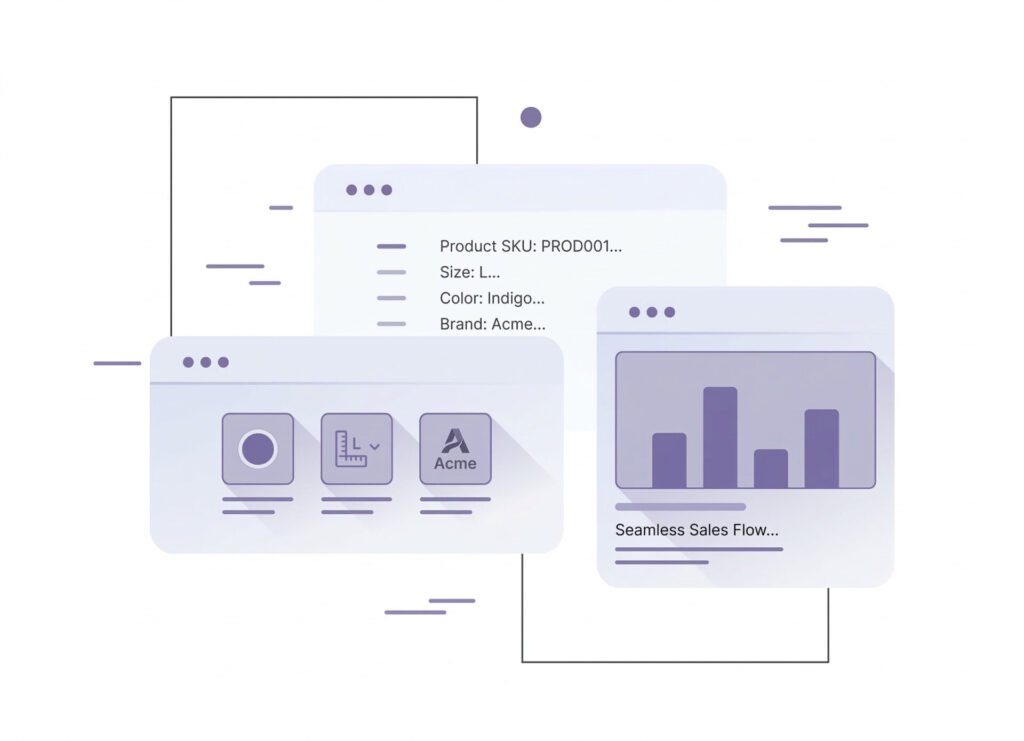
with sizes, colors, and brandsEasily manage products with multiple sizes, colors, and brands, ensuring a seamless inventory and sales process
- Better Inventory Control – Keep track of stock variations accurately.
- Enhanced Shopping Experience – Allow customers to find their preferred size, color, and brand effortlessly.
- Faster Order Processing – Streamline product selection and checkout.
- Reduced Stock Issues – Minimize overstocking or running out of popular variants.
- Increased Sales Potential – Offer a diverse product range to attract more customers.
-
Supports multiple
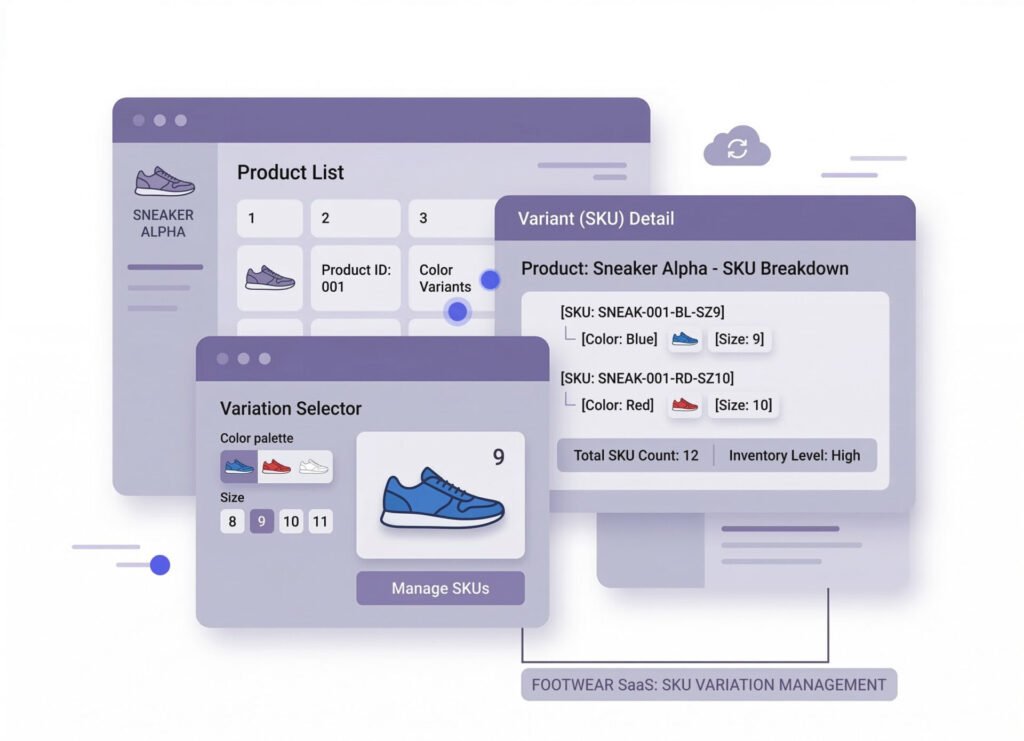
SKUs for different sizes/colorsEasily manage inventory variations with support for multiple SKUs per product. This feature allows businesses to track and sell items in different sizes, colors, and styles without confusion.
- Accurate Inventory Tracking – Keep precise stock levels for each product variation.
- Improved Order Management – Reduce errors by ensuring the right variant is sold.
- Better Customer Experience – Let customers choose their preferred size or color with ease.
- Efficient Reporting – Get detailed insights into the best-selling variants.
- Seamless Integration – Works with eCommerce platforms and POS systems for smooth operations.
-

Syncs with online
shoe stores for real-time stock updatesKeep your inventory always up-to-date with seamless real-time syncing between your POS system and online shoe stores.
- Accurate Stock Levels – Prevent overselling or stockouts with live inventory updates
- Time-Saving Automation – Reduce manual data entry with automatic stock synchronization.
- Better Customer Experience – Ensure customers see only available products, reducing order cancellations.
- Multi-Channel Selling – Sync across multiple platforms for smooth omnichannel sales.
- Reduced Errors – Minimize discrepancies between online and in-store stock.

One platform, every module
Footwear Shop POS Modules for Every Pair and Size
A shoe shop sells one exact pair at a time. These modules keep each size of each style counted at the counter, in the stockroom, across branches and in your online store, with the books updating as pairs sell.
-
Buy & make
Purchases and production
-
Stock
Every shelf and warehouse
-
Sell
At the counter and on invoice
-
Get paid
Customers, dues and books
-
Grow
Staff, messages and branches

1 · Buy & make
BackOffice
Order sizes from brands and suppliers and keep every due clear.
- Purchase orders listing each size and color
- Deliveries received against their order
- Payments made against each purchase
- Roles and an activity log for every user

1 · Buy & make
Manufacturing
Make your own pairs: leather, soles and laces turned into shoes.
- A bill of materials for each style
- Leather and soles drawn from stock
- Finished pairs added ready to sell
- Low alerts on leather and soles

2 · Stock
Inventory
Every style split into sizes and colors, each with its own count.
- Each size a variant with its own barcode
- Dead-stock reports for slow styles
- Prices of a whole style updated at once
- Alert quantity for sizes that sell out
2 · Stock
Multi Warehouse
Stockroom, warehouse and shops, with every pair moving between them.
- The shelf that holds every shoe box
- New stock received into any warehouse
- Transfers out to each outlet
- Outlets confirm the pairs they receive

3 · Sell
Sales
Counter bills, invoices and size exchanges with the pair back in stock.
- Swap a size and both pairs update in stock
- Returns traced to the original receipt
- Mushak-6.3 invoice printed with the sale
- Sales reports down to each size

3 · Sell
POS (Point of Sale)
A quick counter for a customer who wants one exact pair.
- Box barcode brings up the style and size
- Search a style by name or code
- Keeps billing when the connection drops
- Logins for cashier, manager and owner

3 · Sell
Order & Quotation
Phone and online orders packed, shipped and followed to the door.
- Online store orders in the same system
- Bulk quotes for school and office shoes
- Delivery by Pathao, Paperfly or eCourier
- Each parcel tracked until delivered

3 · Sell
Services
Shoe repairs and warranty claims from job card to invoice.
- Repair jobs on a card, invoiced when done
- Warranty checked by the invoice number
- Faulty pairs sent back to the supplier
- Claims recorded against each sale

4 · Get paid
Accounting
Cash, bank and margins for a shoe business, kept in double entry.
- Every pair sold posted to your ledgers
- Bank deposits matched to the statement
- A day book of receipts and payments
- VAT registers and the return worksheet

4 · Get paid
CRM
Know each customer and what they bought last time.
- Purchase history on every profile
- Points earned on every pair
- Gift vouchers for a pair of their choice
- New-arrival offers by SMS or email

5 · Grow
Multi business / Multi Branch
All your shoe outlets under one account, each with its own stock.
- Find a size at another outlet
- Pairs transferred so the sale is not lost
- Staff and stock kept per branch
- Combined report for all outlets

5 · Grow
Communication
SMS and email to customers, and notices for your shop teams.
- Messages sent by hand or automatically
- Own gateway and your shop's sender ID
- Order SMS when a customer orders a pair
- Notices pinned for every outlet

5 · Grow
HRM
Floor staff, attendance and pay across every outlet.
- Staff records kept per outlet
- Shifts for weekends and festival days
- Leave requests with approvals
- Salaries calculated from attendance
Footwear Getting started 5 steps
How GPOS
works in your
footwear shop
In a shoe shop one style becomes many sizes and colours. These five steps give every variant its own SKU and stock count, so you can see exactly which pairs are in stock.
-
Set up your shoe store
Add your outlets and staff with role-based access, then add the shoe brands and categories you carry so your stock is organised from the start.
-
Add sizes and colours
Create each shoe once with its size and colour variants, giving every pair its own SKU and barcode so the right variant is scanned and sold.
-
Sync your online store
Link your online shoe store so stock updates in real time across channels, and online customers see only the sizes you have available.
-
Sell and swap sizes
Scan the pair at checkout and take payment, and when a size does not fit, process a return against the original sale to put it back in stock.
-
Reorder the sizes that sell
Low-stock alerts flag popular sizes before they run out, and variant reports show which sizes, colours and brands sell best.
Customer stories
Feedback From Real Customers
Shop owners on what changed after their billing, stock and accounts moved to GPOS.
GPOS System has transformed the way we manage our fashion store. From billing and inventory tracking to customer management and sales reporting, everything is now organized and efficient. The system is fast, easy to use, and helps us stay on top of stock and trends
GPOS System has been a great solution for our bike shop. It makes billing, inventory management, and sales tracking simple and efficient. Managing spare parts, customers, and reports is now much easier
GPOS System has been an excellent solution for our toy shop. It simplifies billing, inventory management, and sales tracking, making daily operations much more efficient. Managing products, customers, and reports is now easy
GPOS System has been an excellent solution for our sanitary products business. It simplifies billing, inventory management, and sales tracking, helping us manage stock accurately and serve customers efficiently. The system is fast, reliable, and easy to use
GPOS System has been a great addition to our organic products shop. It makes billing, inventory management, and sales tracking simple and efficient. Managing products, customers, and reports is now much easier, helping us save time and improve accuracy
This POS software has made our daily sales process much faster and more organized. The interface is simple and very easy to use.
Great customer support and customizable features. This POS solution perfectly fits our business needs
GPOS System has transformed our salon and spa operations. Billing, accounting, and inventory management are now faster, more accurate, and easier to track. It saves us valuable time every day and helps us serve customers better
We use GPOS System to manage billing, accounting, and inventory for our electronics store. It is fast, reliable, and easy to use. The real-time reports and stock management features have improved our efficiency, reduced errors in our everyday business operations
Using GPOS System for our Engine Oil distribution business has transformed operations. Billing, inventory, and accounting are now faster, accurate, and well-organized. Real-time stock tracking and detailed reports help us make better business decisions every day
I use GPOS System for my computer hardware business to manage billing, inventory, and accounting. It is reliable, easy to use, saves time, improves accuracy, and helps me efficiently manage daily business operations and stock control in single software
We use GPOS System in our supershop to manage billing, accounting, and inventory. It’s fast, reliable, and easy to use. The system has improved our efficiency and helped streamline daily operations significantly
We use GPOS System in our IT Shop every day. It’s fast, reliable, and easy to use. Inventory, sales, and billing are now fully organized, helping us save time and improve customer service. I highly recommend it for any IT shop
We've been using GPOS System at Adnan Drug House, and it has significantly improved our daily operations. Inventory tracking, billing, and reporting are now faster and more accurate. Highly recommended
GPOS makes billing, inventory, and sales management easy. Manage products, clients, and reports in one for trading businesses. Highly recommended for trading business that wants to manage effortlessly!
GPOS System has been a game-changer for our pharmacy. It makes billing, inventory control, and sales management fast and accurate. Managing medicines, stock levels, customers, and reports is now much easier
Safa Departmental Store has greatly benefited from using GPOS System. It has simplified billing, inventory management, and sales tracking, making daily operations faster and more efficient
GPOS System has been a valuable asset for our trading business. It makes billing, inventory management, and sales tracking simple and efficient. Managing products, customers, suppliers, and reports is now much easier
Before you switch
FREQUENTLY
ASKED
QUESTIONS (FAQ)
Everything owners ask before moving their shop to GPOS. If your question is not here, our team is a message away.
Expert team, 24/7
With dedicated 24/7 support, GPOS goes beyond being just a platform. We are your partner, from setup and data import to training your staff.
- Support
- 24/7, dedicated
- Setup
- Same day, nothing complicated
- Trial
- Free, before you buy
What is a Shoe Store POS system?
Shoe Store POS (Point of Sale) system is specialized software designed to help footwear retailers manage sales, inventory, customer data, and payments efficiently. It often includes features like barcode scanning, real-time stock updates, and integration with online stores.
How does a POS system help manage inventory for a shoe store?
POS system automatically tracks stock levels, updates inventory in real time, and alerts you when stock is low. It also syncs with online stores to prevent overselling and manage multiple sizes and styles easily.
Can the POS system sync with my online shoe store?
Yes! A good Shoe Store POS integrates with eCommerce platforms like Shopify, WooCommerce, or Magento, ensuring that stock levels remain accurate across all sales channels.
Does the POS support barcode scanning?
Yes, most Shoe Store POS systems support barcode scanning to speed up checkout, reduce errors, and improve inventory management.
Can I manage multiple store locations with the POS?
Yes, many POS systems allow multi-store management, so you can track stock, sales, and employees across different locations from one dashboard.