
Fine dining POS
Fine Dine Restaurant Software with Live Tables and a Kitchen Screen
GPOS Fine Dine Restaurant Software is a restaurant POS for fine-dining rooms. Servers send only the new items to the kitchen, every order shows on the kitchen screen as new, cooking, ready or served, and the live table plan marks each table free, running or food-ready. Bills can be split, and orders moved or merged.
We are working
with the world’s biggest brands


Fine Dine Restaurant 6 features
Course by course
in a fine-dining room
Beyond the floor plan and reservations, these tools look after the details guests notice: orders taken in courses, changes that reach the kitchen at once, plates collected when ready, priority for a table in a hurry, consistent portions and perks for regulars.
-
Multi-course dinners kept in order
Enter a table's order course by course, from starters to desserts, so the kitchen and the servers can follow a long meal without losing track of what has already gone out.
-
Changes reach the kitchen at once
When a guest changes their mind or adds a dish, the server updates the order and the kitchen display shows the change straight away, so nobody cooks from an old ticket.
-
Servers told when a dish is ready
As the kitchen finishes a dish, GPOS alerts the floor staff that it is ready, so plates are picked up from the pass while they are still hot.
-
Priority for a table in a hurry
Mark an order as high priority for a guest with somewhere to be, and the kitchen display highlights it so the cooks know to prepare it first.
-
Exclusive perks for your top tier
Give high-spending guests a tier with its own perks, and let the points they earn on each bill be redeemed for a discount or a complimentary dish on a later visit.
-
The same portion on every plate
Set the portion for each dish in its recipe, so every plate that leaves the kitchen matches the last one and the ingredients used match what was sold.
-
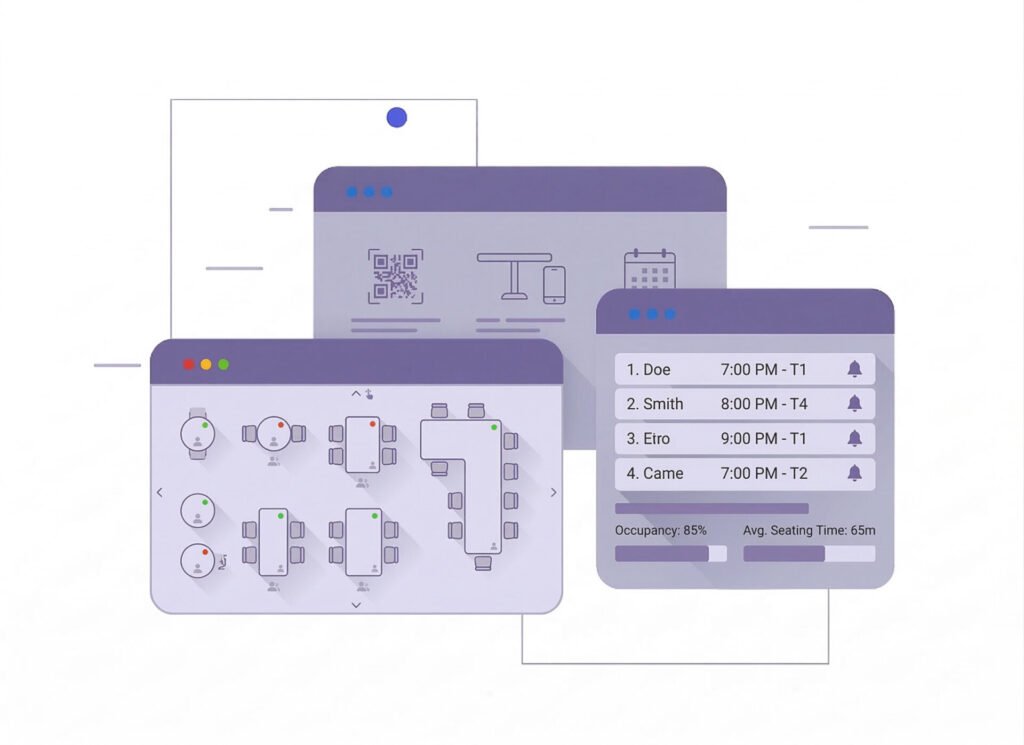
Smart
Table ManagementSmart Table Management in GPOS system provides an interactive, real-time table layout, enabling staff to track table occupancy, reservations, and seating arrangements effortlessly. Features include drag-and-drop table adjustments, reservation reminders, and integration with table-side ordering via QR codes. It enhances operational efficiency and ensures a seamless dining experience for customers.
- Interactive table layout with drag-and-drop table arrangement.
- Real-time table occupancy tracking.
- Table reservation system with customer reminders.
- Integrated self-ordering kiosks for customers to place orders without waiter assistance.
- Compatible with QR code scanning for table-side ordering.
-
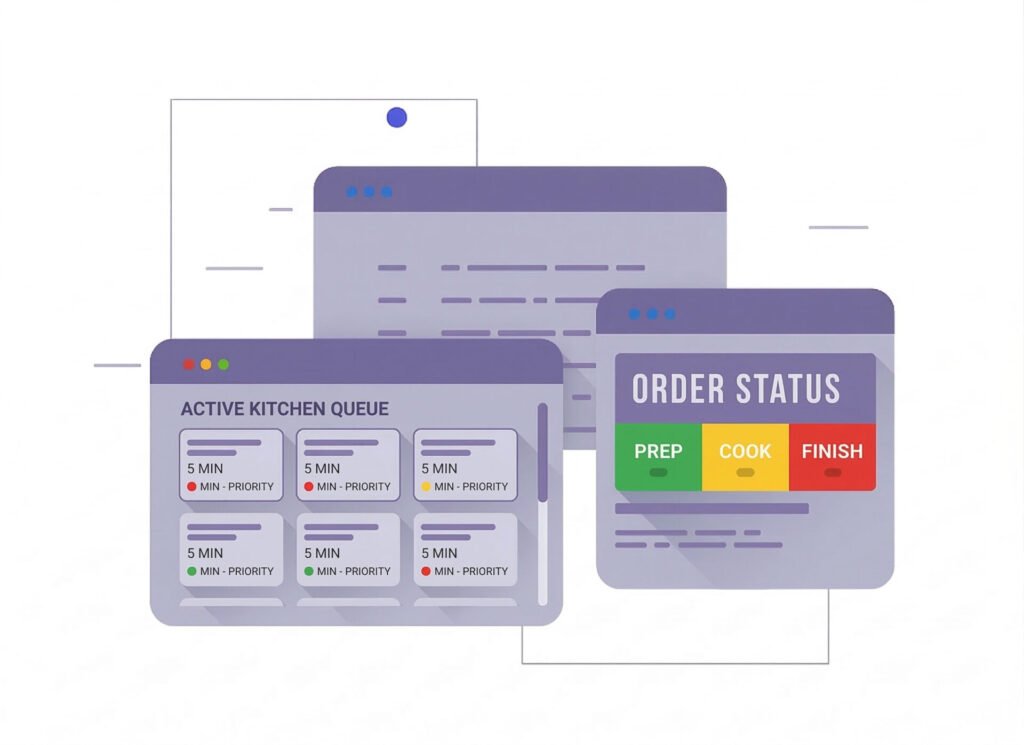
Kitchen
Display System (KDS)Kitchen Display System (KDS) in GPOS streamlines order management by displaying real-time orders directly to the kitchen. Features include order prioritization, color-coded status tracking, and timer-based alerts for delayed orders. It eliminates paper tickets, reduces errors, and ensures faster communication between the front-of-house and kitchen staff.
- Real-Time Order Updates: Instantly displays new and modified orders for kitchen staff.
- Order Prioritization: Highlights high-priority or delayed orders to improve time management.
- Status Tracking: Tracks order progress and alerts staff when items are ready.
- Customization: Allows splitting of orders by kitchen sections (e.g., grill, desserts).
- Paperless Workflow: Replaces traditional printed tickets for a streamlined, eco-friendly process.
-
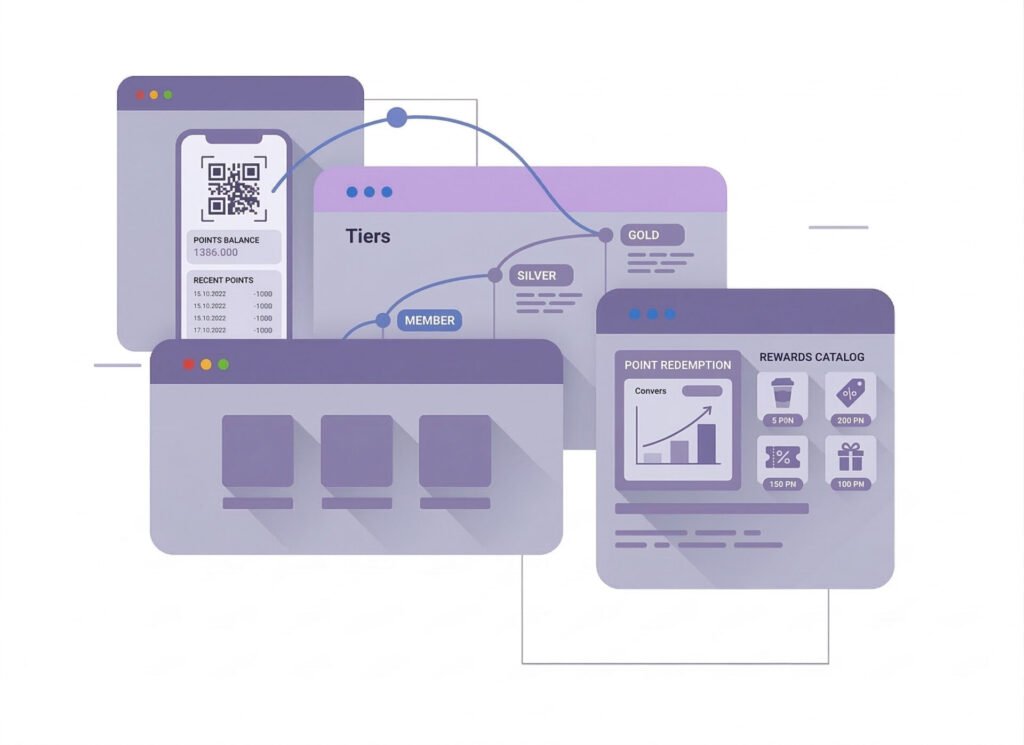
Loyalty
and Reward SystemLoyalty and Reward System in GPOS software enables businesses to create personalized reward programs. Features include point-based rewards, tiered memberships, discounts, and automated tracking of customer spending. Integrated with digital receipts or mobile apps, it encourages repeat visits, boosts customer retention, and provides insights to refine marketing strategies effectively.
- Point-Based Rewards: Customers earn points on purchases, redeemable for discounts or free items.
- Tiered Loyalty Programs: Offer exclusive perks for high-spending customers.
- Boosts Customer Retention: Encourages repeat visits with attractive rewards.
- Increases Sales: Upsells by incentivizing larger purchases to earn more points.
One platform, every module
Every Module a Fine Dine Restaurant Relies On
Fine dining is in the details. These modules carry a long meal from the first course to the bill, and keep the costs, guests, staff and books behind it in order.
-
Buy & make
Purchases and production
-
Stock
Every shelf and warehouse
-
Sell
At the counter and on invoice
-
Get paid
Customers, dues and books
-
Grow
Staff, messages and branches

1 · Buy & make
BackOffice
Specialty buying, supplier dues and staff rights, kept in order.
- Purchase orders for specialty produce
- Ledgers for every importer and grower
- Short or damaged deliveries returned
- Users limited to the screens they need

1 · Buy & make
Manufacturing
Recipes that keep every plate the same as the last.
- Set portions in every dish's recipe
- Sauces, stocks and desserts made in batches
- Ingredient use matched to plates sold
- Low alerts for prized raw materials

2 · Stock
Inventory
Premium ingredients tracked with the care they cost.
- Imported and fresh stock by unit and brand
- Expiry watched on short-life ingredients
- Stock adjusted after every count
- Alert levels for costly items
2 · Stock
Multi Warehouse
Cold room, pantry and dry store, each with its own count.
- Separate stock for cold room and pantry
- Shelf places for every costly item
- Moves from store to kitchen on record
- Kitchen confirms each delivery received

3 · Sell
Sales
A calm bill at the end of a long meal.
- One bill split across a table of guests
- More than one payment method per bill
- Mushak-6.3 VAT invoice with each bill
- Sales reports by dish and by day

3 · Sell
POS (Point of Sale)
Course-by-course orders taken at the table.
- Orders entered course by course
- Kitchen screen: new, cooking, ready, served
- Priority marked for a table in a hurry
- Servers alerted when a plate is ready

3 · Sell
Order & Quotation
Private dinners and set menus quoted before the night.
- Set menus quoted for private dining
- Advance payment against each event
- Draft menus revised with the host
- Event invoice made from the confirmed order

3 · Sell
Services
Outside dining events run from job card to invoice.
- Job cards for events at a client's venue
- Each event invoiced from its job card
- Serial and warranty records for goods sold
- Supplier RMA when a unit comes back

4 · Get paid
Accounting
Know what each evening earned after food, staff and rent.
- Profit and loss, cash flow and day book
- Rent, staff and utility costs as expenses
- Ledgers ready for your accountant
- VAT registers and the return worksheet

4 · Get paid
CRM
Remember every guest, and reward the ones who return most.
- Tiers with perks for high-spending guests
- Points redeemed for a complimentary dish
- Past visits and orders on each profile
- Vouchers for anniversary dinners

5 · Grow
Multi business / Multi Branch
A second dining room or a sister brand under one account.
- Sister brands with their own profiles
- Own stock and staff for each restaurant
- Fine ingredients moved between kitchens
- Group reports beside each branch's own

5 · Grow
Communication
Personal messages to guests, sent under your own name.
- Anniversary offers by SMS or email
- Your restaurant's name as sender ID
- Order SMS when a private dinner is booked
- Briefings for the floor on the notice board

5 · Grow
HRM
Chefs, servers and hosts, scheduled and paid on time.
- Profiles for chefs, servers and hosts
- Shifts and attendance for each service
- Leave approval before a busy weekend
- Pay worked out from attendance
Fine Dine Restaurant Getting started 5 steps
How GPOS
works in your
fine-dining restaurant
Running a fine-dining restaurant on GPOS takes five steps. Your kitchen display tracks every order with colour-coded status and timer alerts, so delayed dishes are flagged straight away.
-
Arrange your floor plan
Drag and drop tables into an interactive layout that matches your dining room, then track occupancy and reservations on it in real time.
-
Craft your menu and specials
Set up custom menus and seasonal specials, with modifications for dietary preferences and ingredient substitutions, ready for multi-course ordering.
-
Manage reservations and waitlists
Record reservations with special requests, send customers reminders before they arrive, and manage a waitlist when the dining room is full.
-
Take orders tableside
Your servers take orders at the table on a tablet or mobile device, and the kitchen display splits each one by section, such as grill or desserts.
-
Reward your regular guests
Track each guest's spending automatically and reward them with points, tiered memberships and discounts, while loyalty insights help you refine your marketing.
Customer stories
Feedback From Real Customers
Shop owners on what changed after their billing, stock and accounts moved to GPOS.
This POS software has made our daily sales process much faster and more organized. The interface is simple and very easy to use.
Great customer support and customizable features. This POS solution perfectly fits our business needs
GPOS System has transformed our salon and spa operations. Billing, accounting, and inventory management are now faster, more accurate, and easier to track. It saves us valuable time every day and helps us serve customers better
We use GPOS System to manage billing, accounting, and inventory for our electronics store. It is fast, reliable, and easy to use. The real-time reports and stock management features have improved our efficiency, reduced errors in our everyday business operations
Using GPOS System for our Engine Oil distribution business has transformed operations. Billing, inventory, and accounting are now faster, accurate, and well-organized. Real-time stock tracking and detailed reports help us make better business decisions every day
I use GPOS System for my computer hardware business to manage billing, inventory, and accounting. It is reliable, easy to use, saves time, improves accuracy, and helps me efficiently manage daily business operations and stock control in single software
We use GPOS System in our supershop to manage billing, accounting, and inventory. It’s fast, reliable, and easy to use. The system has improved our efficiency and helped streamline daily operations significantly
We use GPOS System in our IT Shop every day. It’s fast, reliable, and easy to use. Inventory, sales, and billing are now fully organized, helping us save time and improve customer service. I highly recommend it for any IT shop
We've been using GPOS System at Adnan Drug House, and it has significantly improved our daily operations. Inventory tracking, billing, and reporting are now faster and more accurate. Highly recommended
GPOS makes billing, inventory, and sales management easy. Manage products, clients, and reports in one for trading businesses. Highly recommended for trading business that wants to manage effortlessly!
GPOS System has been a great solution for our bike shop. It makes billing, inventory management, and sales tracking simple and efficient. Managing spare parts, customers, and reports is now much easier
GPOS System has been an excellent solution for our toy shop. It simplifies billing, inventory management, and sales tracking, making daily operations much more efficient. Managing products, customers, and reports is now easy
GPOS System has been a game-changer for our pharmacy. It makes billing, inventory control, and sales management fast and accurate. Managing medicines, stock levels, customers, and reports is now much easier
Safa Departmental Store has greatly benefited from using GPOS System. It has simplified billing, inventory management, and sales tracking, making daily operations faster and more efficient
GPOS System has been an excellent solution for our sanitary products business. It simplifies billing, inventory management, and sales tracking, helping us manage stock accurately and serve customers efficiently. The system is fast, reliable, and easy to use
GPOS System has been a valuable asset for our trading business. It makes billing, inventory management, and sales tracking simple and efficient. Managing products, customers, suppliers, and reports is now much easier
GPOS System has transformed the way we manage our fashion store. From billing and inventory tracking to customer management and sales reporting, everything is now organized and efficient. The system is fast, easy to use, and helps us stay on top of stock and trends
GPOS System has been a great addition to our organic products shop. It makes billing, inventory management, and sales tracking simple and efficient. Managing products, customers, and reports is now much easier, helping us save time and improve accuracy
Before you switch
FREQUENTLY
ASKED
QUESTIONS (FAQ)
Everything owners ask before moving their shop to GPOS. If your question is not here, our team is a message away.
Expert team, 24/7
With dedicated 24/7 support, GPOS goes beyond being just a platform. We are your partner, from setup and data import to training your staff.
- Support
- 24/7, dedicated
- Setup
- Same day, nothing complicated
- Trial
- Free, before you buy
What is a POS system, and why do I need it for my fine-dine restaurant?
GPOS (Point of Sale) system helps manage orders, payments, inventory, and customer data. It streamlines restaurant operations, reduces errors, and enhances customer experiences.
How is a fine-dine POS system different from a regular restaurant POS?
Fine-dine POS systems often include table management, detailed menu customization, and multi-course ordering capabilities tailored for the upscale dining experience.
Is the POS system suitable for handling reservations?
Yes, GPOS fine-dine restaurant systems include reservation management features to help manage bookings, special requests, and waitlists efficiently.
Does it support tableside ordering?
Yes, GPOS systems allow servers to take orders directly at the table using tablets or mobile devices.
Is inventory management included?
Yes, fine-dine GPOS systems can track inventory in real-time, monitor stock levels, and even send alerts for low stock.
