
Buffet restaurant POS
Buffet Management Software for Restaurants: Stock, Tables and Kitchen
GPOS Buffet Management Software gives buffet restaurants billing, kitchen order tickets and ingredient stock in one restaurant POS. Live tables show which are free, running or food-ready, only new items go to the kitchen as a KOT, and the floor keeps working when the internet drops.
We are working
with the world’s biggest brands


Buffet Restaurant 6 features
Run a busy buffet
without losing count
Behind the spread, these tools help a buffet restaurant control what it buys and what it throws away, and keep the door moving on full days: leftovers by dish, ingredient alerts, purchase orders you check, supplier ledgers, purchase reports and a waitlist.
-
Leftovers recorded dish by dish
At the end of each service, record what is left of every dish on the buffet, item by item, so you can see what is over-produced and cook less of it next time.
-
Alerts before an ingredient runs out
Give each ingredient an alert quantity, and staff are told when stock falls to it, well before a dish on the buffet has to stay empty.
-
Purchase orders checked before you buy
When GPOS raises a purchase order, open it, adjust the quantities for a large booking or a quiet week, and edit the order before it goes to your supplier.
-
Ledgers for every food supplier
Keep a ledger for each supplier of meat, vegetables and dry goods, with what you bought, what you paid and what is still owed, so settling up at month end is simple.
-
Purchase reports for food buying
Open the purchase reports to see what you have spent on ingredients and with which suppliers, and spot the costs that rise when you add dishes to the buffet.
-
A waitlist when every table is taken
On a full day, add arriving guests to a waitlist and seat them in turn as tables free up, so the queue at the door stays calm and nobody is skipped.
-
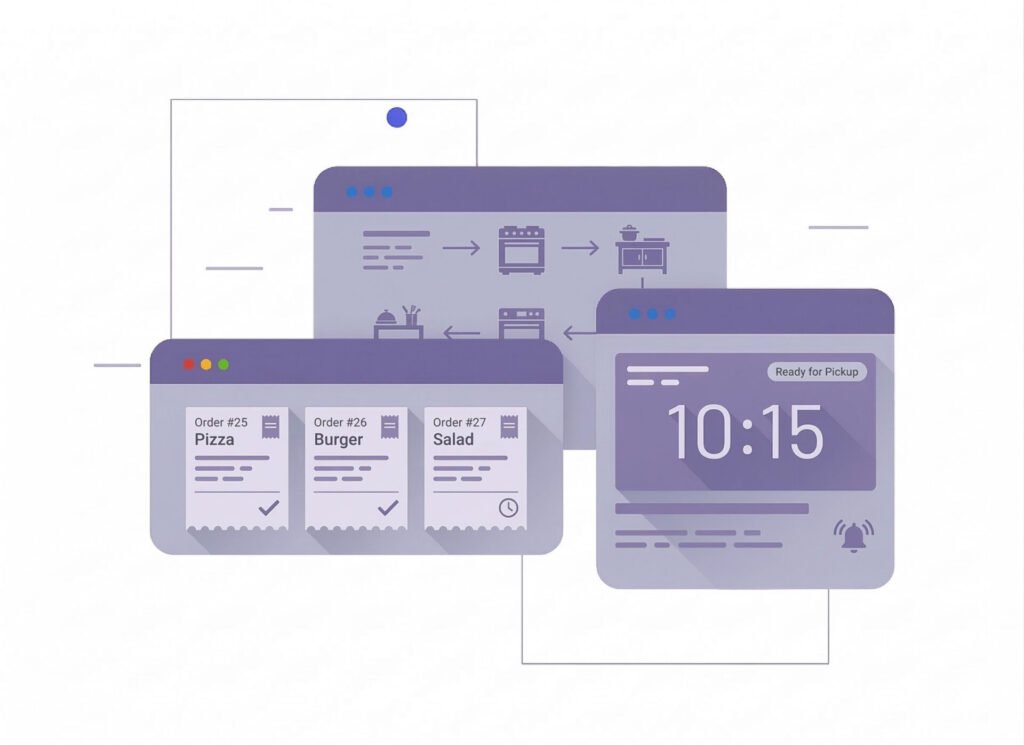
Kitchen
Display SystemKitchen Display System (KDS) is a digital tool used in restaurants to streamline order management. It replaces paper tickets, displaying orders on screens for kitchen staff, improving accuracy, speed, and communication. KDS enhances workflow, reduces errors, and supports real-time updates, boosting overall kitchen efficiency and customer satisfaction
- Streamlines order flow, reducing preparation time and enhancing kitchen productivity
- Minimizes miscommunication and order mistakes by displaying clear, real-time updates.
- Facilitates better coordination between front-of-house and kitchen staff.
- Reduces paper waste and operational costs associated with manual order systems.
- Faster service and accurate orders lead to happier customers and repeat business.
-
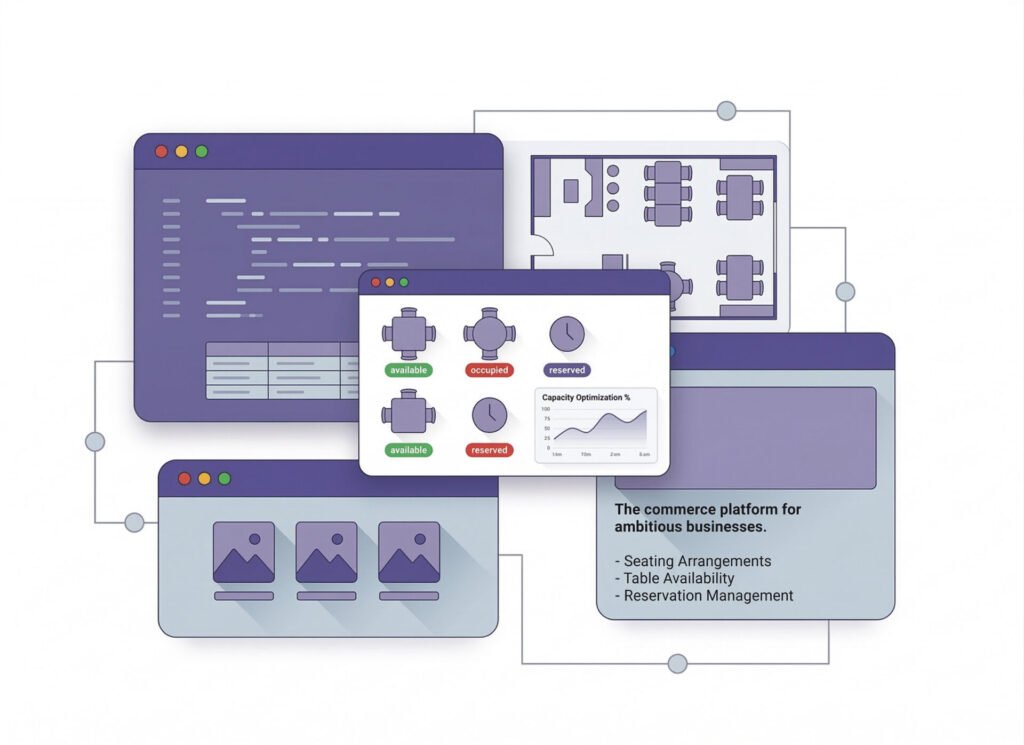
The commerce
platform for ambitious businesses.Table management involves organizing, reserving, and optimizing seating arrangements in restaurants to enhance service efficiency and customer experience. It includes tracking table availability, managing reservations, and coordinating seating to minimize wait times, maximize capacity, and ensure smooth operations. Effective table management boosts turnover rates and customer satisfaction.
- Maximizes table utilization and turnover rates
- Enhances customer satisfaction with efficient seating.
- Simplifies booking and avoids overbooking.
- Increases table occupancy and sales opportunities
- Provides organized service and shorter waits
-
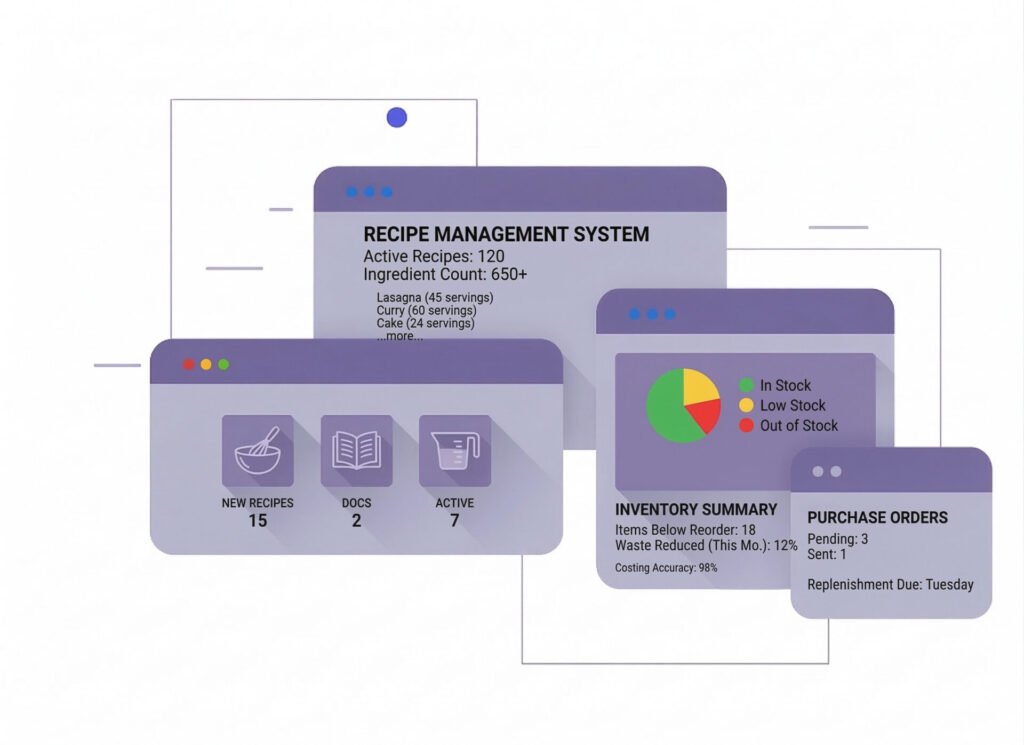
Manage
recipes and inventoryManaging recipes and inventory involves tracking ingredient quantities, updating stock levels, and ensuring accurate recipe costing. It helps prevent shortages, reduce waste, and maintain consistency in food preparation. Efficient management streamlines operations, controls costs, and ensures timely replenishment, enhancing overall kitchen efficiency and profitability.
- Tracks ingredient usage and reduces waste
- Ensures precise pricing and profitability.
- Prevents overstocking or shortages.
- Saves time with automated tracking and ordering.
- Provides insights for better purchasing and menu planning.
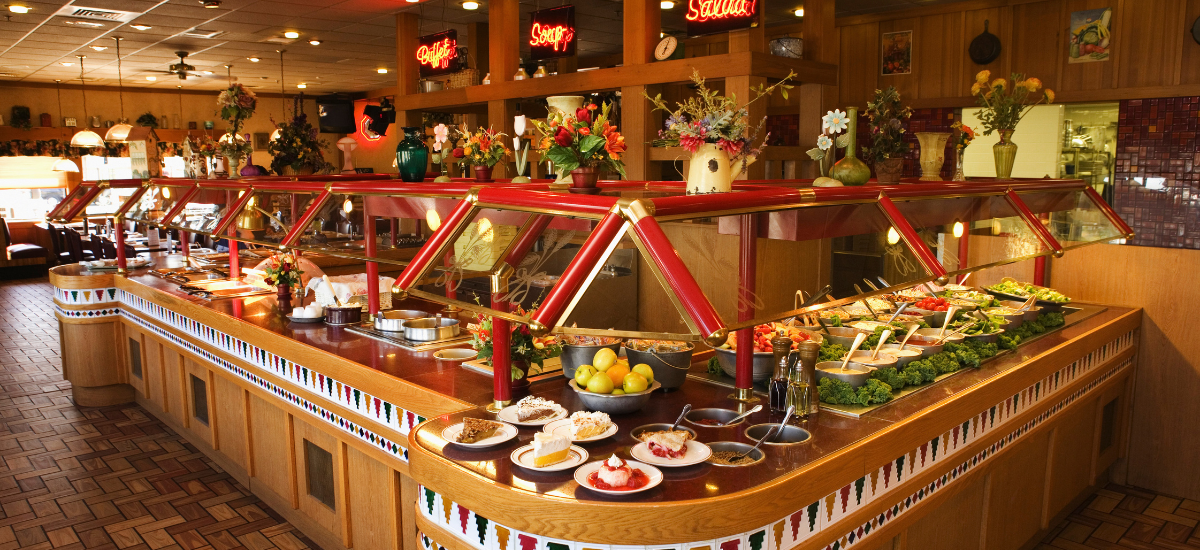
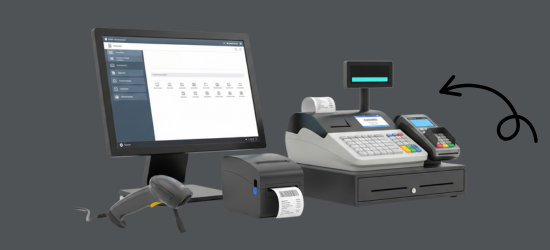

One platform, every module
Buffet Management Modules for a Full Spread
A buffet cooks in volume and lives on its margins. These modules tie what you buy, cook and throw away to what each guest pays, from a quiet weekday lunch to the iftar rush.
-
Buy & make
Purchases and production
-
Stock
Every shelf and warehouse
-
Sell
At the counter and on invoice
-
Get paid
Customers, dues and books
-
Grow
Staff, messages and branches

1 · Buy & make
BackOffice
Bulk buying under control, and every supplier's due in view.
- Purchase orders edited before they go out
- Supplier ledgers for meat, fish and produce
- Spend on ingredients in purchase reports
- Bulk price updates from Excel

1 · Buy & make
Manufacturing
Large-batch recipes that turn ingredients into trays of food.
- Batch recipes sized for a full spread
- Rice, meat and spices drawn from stock
- Cooked trays counted as finished goods
- Low alerts on the main raw materials

2 · Stock
Inventory
Ingredients bought in bulk and used up by the day.
- Leftovers recorded dish by dish
- Alert quantities on rice, meat and oil
- Bulk stock in sacks, kg and litres
- Stock report after every service
2 · Stock
Multi Warehouse
A central kitchen store that feeds every buffet line.
- Bulk stock held in a central store
- Daily transfers to each buffet kitchen
- Racks and shelves for sacks and cartons
- Each kitchen confirms what arrives

3 · Sell
Sales
Fast billing for big groups at the door or the table.
- Group bills for families and offices
- Mushak-6.3 VAT invoices for every group
- Several payment methods on one group bill
- Daily sales report after each service

3 · Sell
POS (Point of Sale)
Guests seated, billed and kept moving on a full day.
- Tables marked running or free at a glance
- Waitlist for guests when every seat is full
- Bills for large families split fairly
- Offline billing when the line goes down

3 · Sell
Order & Quotation
Group and event bookings, quoted and confirmed in advance.
- Quotes for wedding and office buffets
- Deposits on large group bookings
- Draft bookings held until confirmed
- Invoice made from the booked order

3 · Sell
Services
Outdoor buffets and catering, tracked from job card to bill.
- Job cards for outdoor buffet events
- Catering bills from the finished job
- Warranty check on any equipment sold
- Supplier RMA for returned units

4 · Get paid
Accounting
Food spend, takings and profit in one set of books.
- Supplier payments and cash in one place
- Monthly profit and loss
- Expenses for gas, staff meals and rent
- Bank reconciliation, with statement import

4 · Get paid
CRM
Regular families and office groups, with their history and dues.
- Group bookers saved with past visits
- Dues for company lunches on account
- Points that bring families back
- Coupons for weekday lunch offers

5 · Grow
Multi business / Multi Branch
More than one buffet hall on the same account.
- Each hall keeps its own stock and staff
- Ingredients shifted to a busier branch
- Users allowed into their own branch only
- One report across all your buffets

5 · Grow
Communication
Lunch and dinner offers sent to the guests who come back.
- Weekend buffet offers by SMS
- Booking SMS when a group confirms
- Email offers to office customers
- Kitchen notices on the team board

5 · Grow
HRM
Cooks, servers and cleaners on shifts, with pay from attendance.
- Records for cooks, servers and cleaners
- Extra shifts on weekends and holidays
- Leave planned around festival days
- Payroll built from each month's attendance
Buffet Restaurant Getting started 5 steps
How GPOS
works in your
buffet restaurant
Running a buffet restaurant on GPOS takes five steps. Inventory tracking, kitchen order tickets and billing sit in one simple system, and you can create purchase orders as stock runs low.
-
Set up seating and bookings
Organise your tables and take reservations in advance, so you can manage customer flow and avoid overbooking on busy days.
-
Record your buffet recipes
Enter the recipe for each dish with its ingredient quantities, so food is prepared consistently and every dish is costed accurately.
-
Keep the kitchen in sync
Send kitchen order tickets to the kitchen display in real time, replacing paper and keeping front-of-house and kitchen staff coordinated.
-
Seat, serve and bill
Seat guests at available tables to keep turnover moving, then settle each table's bill at the POS when they finish.
-
Control food costs
Track ingredient usage in real time to reduce waste, generate purchase orders automatically when stock runs low, and use the insights to plan your menu.
Customer stories
Feedback From Real Customers
Shop owners on what changed after their billing, stock and accounts moved to GPOS.
This POS software has made our daily sales process much faster and more organized. The interface is simple and very easy to use.
Great customer support and customizable features. This POS solution perfectly fits our business needs
GPOS System has transformed our salon and spa operations. Billing, accounting, and inventory management are now faster, more accurate, and easier to track. It saves us valuable time every day and helps us serve customers better
We use GPOS System to manage billing, accounting, and inventory for our electronics store. It is fast, reliable, and easy to use. The real-time reports and stock management features have improved our efficiency, reduced errors in our everyday business operations
Using GPOS System for our Engine Oil distribution business has transformed operations. Billing, inventory, and accounting are now faster, accurate, and well-organized. Real-time stock tracking and detailed reports help us make better business decisions every day
I use GPOS System for my computer hardware business to manage billing, inventory, and accounting. It is reliable, easy to use, saves time, improves accuracy, and helps me efficiently manage daily business operations and stock control in single software
We use GPOS System in our supershop to manage billing, accounting, and inventory. It’s fast, reliable, and easy to use. The system has improved our efficiency and helped streamline daily operations significantly
We use GPOS System in our IT Shop every day. It’s fast, reliable, and easy to use. Inventory, sales, and billing are now fully organized, helping us save time and improve customer service. I highly recommend it for any IT shop
We've been using GPOS System at Adnan Drug House, and it has significantly improved our daily operations. Inventory tracking, billing, and reporting are now faster and more accurate. Highly recommended
GPOS makes billing, inventory, and sales management easy. Manage products, clients, and reports in one for trading businesses. Highly recommended for trading business that wants to manage effortlessly!
GPOS System has been a great solution for our bike shop. It makes billing, inventory management, and sales tracking simple and efficient. Managing spare parts, customers, and reports is now much easier
GPOS System has been an excellent solution for our toy shop. It simplifies billing, inventory management, and sales tracking, making daily operations much more efficient. Managing products, customers, and reports is now easy
GPOS System has been a game-changer for our pharmacy. It makes billing, inventory control, and sales management fast and accurate. Managing medicines, stock levels, customers, and reports is now much easier
Safa Departmental Store has greatly benefited from using GPOS System. It has simplified billing, inventory management, and sales tracking, making daily operations faster and more efficient
GPOS System has been an excellent solution for our sanitary products business. It simplifies billing, inventory management, and sales tracking, helping us manage stock accurately and serve customers efficiently. The system is fast, reliable, and easy to use
GPOS System has been a valuable asset for our trading business. It makes billing, inventory management, and sales tracking simple and efficient. Managing products, customers, suppliers, and reports is now much easier
GPOS System has transformed the way we manage our fashion store. From billing and inventory tracking to customer management and sales reporting, everything is now organized and efficient. The system is fast, easy to use, and helps us stay on top of stock and trends
GPOS System has been a great addition to our organic products shop. It makes billing, inventory management, and sales tracking simple and efficient. Managing products, customers, and reports is now much easier, helping us save time and improve accuracy
Before you switch
FREQUENTLY
ASKED
QUESTIONS (FAQ)
Everything owners ask before moving their shop to GPOS. If your question is not here, our team is a message away.
Expert team, 24/7
With dedicated 24/7 support, GPOS goes beyond being just a platform. We are your partner, from setup and data import to training your staff.
- Support
- 24/7, dedicated
- Setup
- Same day, nothing complicated
- Trial
- Free, before you buy
What is Buffet Management Software?
Buffet management software is a digital tool designed to streamline and automate operations in buffet-style restaurants. It handles tasks like table management, billing, inventory tracking, customer flow, and reporting to improve efficiency and customer experience.
How does it help in managing inventory?
The software tracks ingredient usage in real-time, alerts staff about low stock levels, and generates automated purchase orders, reducing waste and ensuring consistent supply
Is the software compatible with POS systems?
Yes, it integrates seamlessly with most POS systems, allowing smooth transactions and data synchronization.
Is the software cloud-based?
Yes, it is cloud-based, allowing you to access your data anytime, anywhere, using any internet-connected device.