
Auto parts and workshop POS
Auto Parts POS System with Parts and Labor on One Invoice
GPOS Auto Parts POS System is counter and repair software for spare parts shops and the workshops behind them. Each repair runs on a service job card that turns into the invoice, serial-numbered parts carry their warranty on record, and every garage that buys on credit has its own ledger.
We are working
with the world’s biggest brands


Auto Parts & Workshop 6 features
For auto parts counters
and the workshops behind them
An auto parts business sells over the counter, to the trade and through its own workshop. These features cover finding parts by vehicle, trade accounts, kits, serial and batch numbers, each vehicle's replacement record and margins by part.
-
Part lookup by VIN
Look up the part that fits from the customer's vehicle, by its VIN or its details, instead of matching part numbers from memory or a printed catalogue at the counter.
-
Trade accounts with their own login
Give a regular trade customer, such as a garage, their own login and keep their account history, so both of you can see what they have bought and what is still owed. Read about the customer ledger.
-
Kits sold as a single item
Put together kits, such as the parts for a routine service, and sell them as a single line while the stock of each part inside stays accurate.
-
Serial and batch numbers on parts
Record serial or batch numbers on the parts that carry them and scan them during purchases and stock audits, so any part can be traced back to the delivery it came in.
-
Part replacement timeline per vehicle
Each vehicle's record shows which parts were replaced and when, with the old invoices attached and its service intervals tracked, so the mechanic sees what was done last time.
-
Margins by part and category
Reports show inventory valuation and profit margins by product or category, so you can see which lines of parts earn their shelf space across retail and trade sales.
-
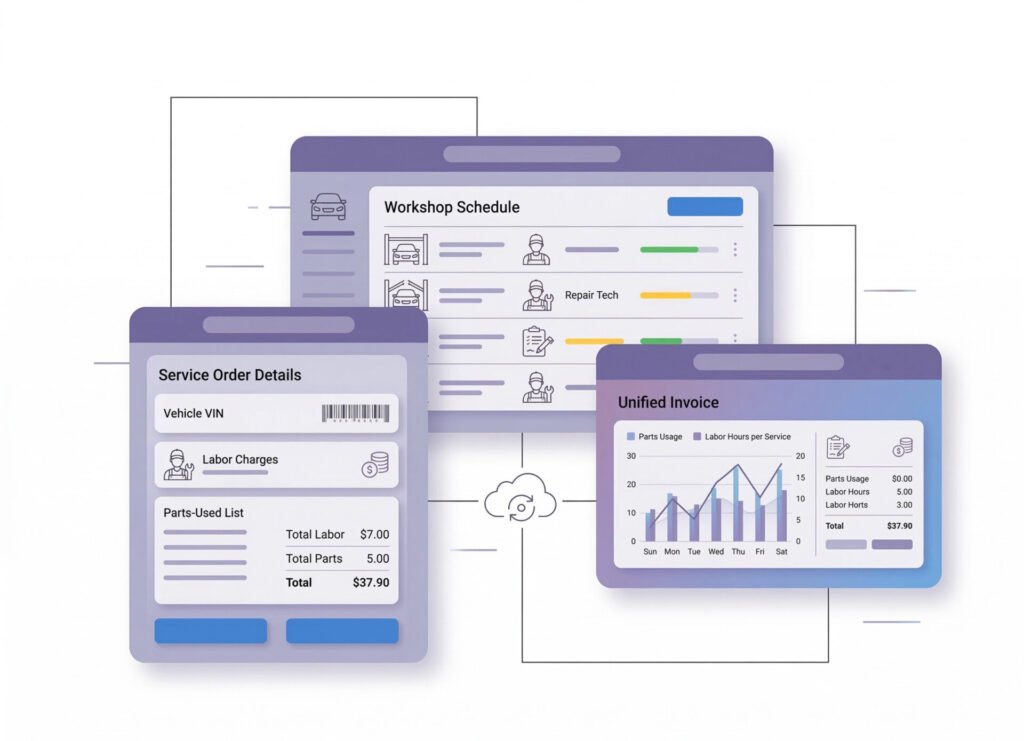
Workshop and
Service Order IntegrationDesigned for auto parts retailers who also provide repair services, this feature seamlessly integrates POS with workshop orders. It tracks parts usage, labor charges, and service history, creating unified invoices that improve customer experience and operational efficiency.
- Linked parts and labor invoicing
- Service order tracking and status updates
- Customer vehicle service history log
- Parts reservation for upcoming repairs
- Real-time labor and parts cost calculations
-
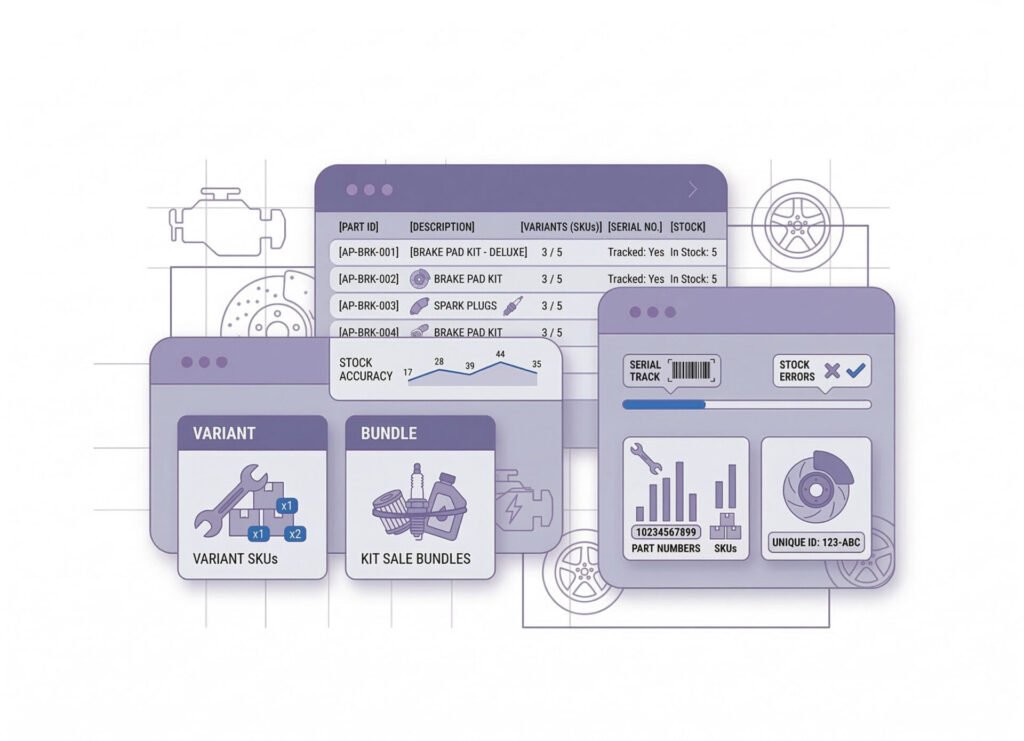
Inventory
Management for Complex Auto PartsAuto parts inventory can be complex with multiple SKUs, variants, and part numbers for the same item. This feature manages multi-variant inventory effortlessly, tracks serial numbers, and supports bundle sales (e.g., kits), reducing stock errors and improving inventory accuracy.
- Multi-SKU and variant tracking
- Serial and batch number management
- Bundle and kit product support
- Automated low-stock alerts
- Integration with supplier restock data
-
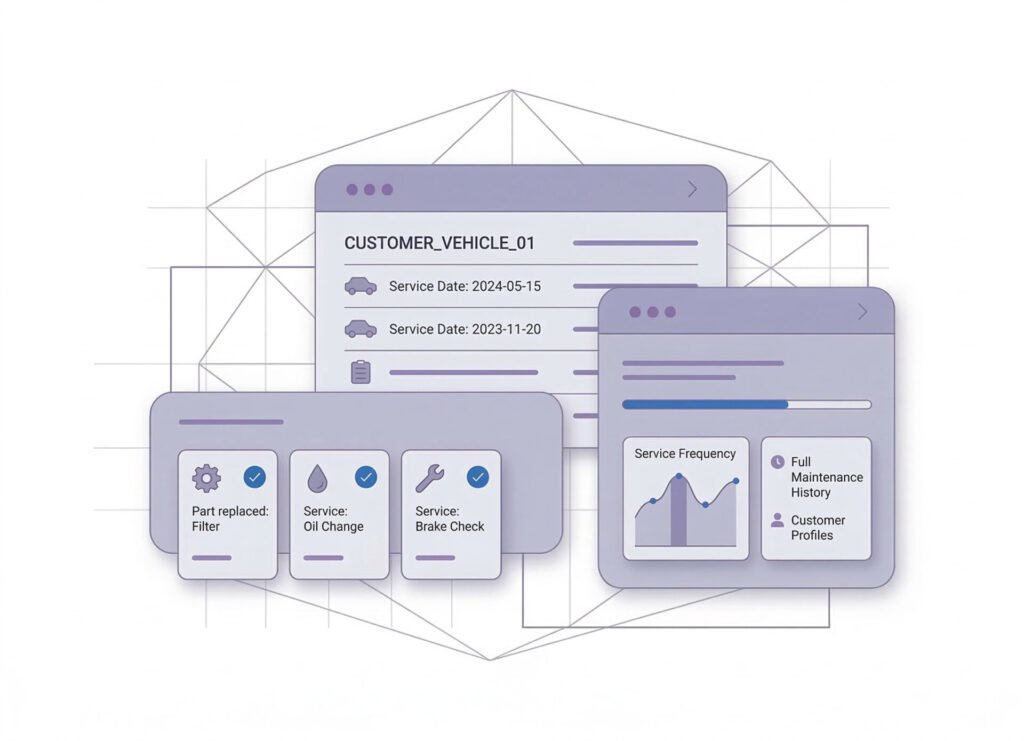
Service History
& Part Replacement LogsTrack vehicle service records and previous parts sold per customer. Great for building trust and improving service recommendations. This feature helps mechanics and auto parts shops provide faster, smarter customer support with a full maintenance history.
- Customer vehicle history
- Part replacement timelines
- Reminder setup for future part changes
- Service interval tracking
- Historical invoice attachment

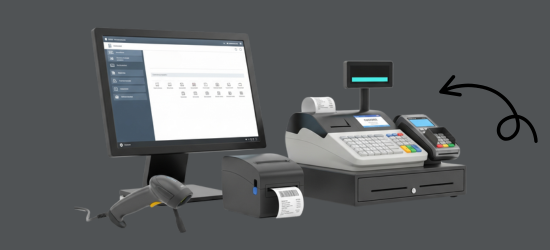

One platform, every module
Auto Parts POS Modules for the Counter and Workshop
An auto parts business sells across the counter, to garages on credit and through its own workshop. These modules keep part numbers, kits, job cards and trade dues in one system, so stock and accounts match.
-
Buy & make
Purchases and production
-
Stock
Every shelf and warehouse
-
Sell
At the counter and on invoice
-
Get paid
Customers, dues and books
-
Grow
Staff, messages and branches

1 · Buy & make
BackOffice
Buy from importers and keep every supplier due clear.
- Purchase orders by part number
- Parts scanned as each delivery arrives
- Wrong parts returned to the supplier
- Supplier ledgers with every payment

1 · Buy & make
Manufacturing
Make up kits and assemblies from loose parts in stock.
- A bill of materials for each service kit
- Filters, plugs and oil drawn from stock
- Assembled kits ready to sell
- Alerts before a kit component runs out

2 · Stock
Inventory
Every part number, kit and variant counted, shop and workshop alike.
- Part numbers with brand and variant
- Service kits sold as one line
- Serial and batch numbers on parts
- Low-stock alerts on fast-moving parts
2 · Stock
Multi Warehouse
A rack and shelf for every part, in every store room.
- The rack and shelf each part sits on
- Bulky parts held in a separate godown
- Transfers from godown to counter
- Stock audits with a barcode scanner

3 · Sell
Sales
Retail and trade invoices, with returns that restock the part.
- Trade prices for garages, retail for walk-ins
- Parts and labor on one invoice
- Wrong part returned to stock on the bill
- Mushak-6.3 invoices for company vehicles

3 · Sell
POS (Point of Sale)
A parts counter where staff find the right part fast.
- Search by part number, name or barcode
- Lookup by vehicle make, model and year
- Several bills open for walk-ins and mechanics
- Selling goes on through internet outages

3 · Sell
Order & Quotation
Repair estimates and trade orders, turned into invoices.
- Repair estimates sent as quotations
- Trade orders invoiced as parts go out
- Drafts kept until the garage confirms
- Courier delivery to garages out of town

3 · Sell
Services
Workshop jobs from job card to invoice, with parts and labor.
- A job card for every vehicle in the bay
- Warranty checked by serial or invoice
- Claims on faulty parts sent to the supplier
- Service history kept for each vehicle

4 · Get paid
Accounting
Counter cash, garage dues and workshop income in one set of books.
- Trade receivables by garage
- Profit margins by part and category
- Expenses for the shop and workshop
- Trial balance ready for your accountant

4 · Get paid
CRM
Garages, fleet owners and walk-ins, each with history and dues.
- Customer groups for mechanics and resellers
- Each vehicle's replaced parts on record
- Credit dues per garage at a glance
- Points and coupons for regular drivers

5 · Grow
Multi business / Multi Branch
Parts shops and workshops as branches of one account.
- Shop and workshop with separate stock
- Parts moved to the branch doing the job
- Each branch with its own staff
- Combined reports across shop and workshop

5 · Grow
Communication
SMS to customers and garages, and notices for the workshop.
- Vehicle-ready SMS when a job is done
- Due reminders sent by hand or automatically
- SMS from your own sender ID
- Workshop notices on the team board

5 · Grow
HRM
Counter staff and mechanics, attendance and wages in one place.
- Records for counter staff and mechanics
- Workshop shifts and daily attendance
- Leave requests with manager sign-off
- Wages calculated from attendance
Auto Parts & Workshop Getting started 5 steps
How GPOS
works in your
auto parts shop and workshop
Selling parts and repairing vehicles draw on the same stock. These five steps link workshop jobs to your parts inventory, so parts and labour go on one invoice and every vehicle keeps its service history.
-
Set up price levels
Add your branches and warehouses, then create customer groups such as mechanics, garages and resellers, each with its own price level and discounts.
-
Catalogue parts by vehicle
Add parts with their part numbers, variants and kits, organised by vehicle make, model, year and engine type so staff find the right part quickly.
-
Open workshop jobs
Create a service order for each vehicle, reserve the parts it needs, and update its status while labour and parts costs are calculated in real time.
-
Invoice parts and labour
Scan barcodes or serial numbers as you bill, and put parts and labour on one linked invoice at the customer's retail or wholesale price.
-
Remind and reorder
Use each vehicle's service history to set reminders for the next part change, and reorder from the low-stock alerts for every location.
Customer stories
Feedback From Real Customers
Shop owners on what changed after their billing, stock and accounts moved to GPOS.
GPOS System has been a great solution for our bike shop. It makes billing, inventory management, and sales tracking simple and efficient. Managing spare parts, customers, and reports is now much easier
GPOS System has been an excellent solution for our toy shop. It simplifies billing, inventory management, and sales tracking, making daily operations much more efficient. Managing products, customers, and reports is now easy
GPOS System has been an excellent solution for our sanitary products business. It simplifies billing, inventory management, and sales tracking, helping us manage stock accurately and serve customers efficiently. The system is fast, reliable, and easy to use
GPOS System has transformed the way we manage our fashion store. From billing and inventory tracking to customer management and sales reporting, everything is now organized and efficient. The system is fast, easy to use, and helps us stay on top of stock and trends
GPOS System has been a great addition to our organic products shop. It makes billing, inventory management, and sales tracking simple and efficient. Managing products, customers, and reports is now much easier, helping us save time and improve accuracy
This POS software has made our daily sales process much faster and more organized. The interface is simple and very easy to use.
Great customer support and customizable features. This POS solution perfectly fits our business needs
GPOS System has transformed our salon and spa operations. Billing, accounting, and inventory management are now faster, more accurate, and easier to track. It saves us valuable time every day and helps us serve customers better
We use GPOS System to manage billing, accounting, and inventory for our electronics store. It is fast, reliable, and easy to use. The real-time reports and stock management features have improved our efficiency, reduced errors in our everyday business operations
Using GPOS System for our Engine Oil distribution business has transformed operations. Billing, inventory, and accounting are now faster, accurate, and well-organized. Real-time stock tracking and detailed reports help us make better business decisions every day
I use GPOS System for my computer hardware business to manage billing, inventory, and accounting. It is reliable, easy to use, saves time, improves accuracy, and helps me efficiently manage daily business operations and stock control in single software
We use GPOS System in our supershop to manage billing, accounting, and inventory. It’s fast, reliable, and easy to use. The system has improved our efficiency and helped streamline daily operations significantly
We use GPOS System in our IT Shop every day. It’s fast, reliable, and easy to use. Inventory, sales, and billing are now fully organized, helping us save time and improve customer service. I highly recommend it for any IT shop
We've been using GPOS System at Adnan Drug House, and it has significantly improved our daily operations. Inventory tracking, billing, and reporting are now faster and more accurate. Highly recommended
GPOS makes billing, inventory, and sales management easy. Manage products, clients, and reports in one for trading businesses. Highly recommended for trading business that wants to manage effortlessly!
GPOS System has been a game-changer for our pharmacy. It makes billing, inventory control, and sales management fast and accurate. Managing medicines, stock levels, customers, and reports is now much easier
Safa Departmental Store has greatly benefited from using GPOS System. It has simplified billing, inventory management, and sales tracking, making daily operations faster and more efficient
GPOS System has been a valuable asset for our trading business. It makes billing, inventory management, and sales tracking simple and efficient. Managing products, customers, suppliers, and reports is now much easier
Before you switch
FREQUENTLY
ASKED
QUESTIONS (FAQ)
Everything owners ask before moving their shop to GPOS. If your question is not here, our team is a message away.
Expert team, 24/7
With dedicated 24/7 support, GPOS goes beyond being just a platform. We are your partner, from setup and data import to training your staff.
- Support
- 24/7, dedicated
- Setup
- Same day, nothing complicated
- Trial
- Free, before you buy
What is the Auto Parts POS System?
Auto Parts POS System is a cloud-based point-of-sale software specifically designed for the auto parts industry. Whether you sell spare parts, car accessories, OEM parts, or operate a wholesale auto parts business, this system helps manage your inventory, sales, suppliers, customers, and finances—all from one easy-to-use platform.
How is this POS system different from general POS software?
Unlike generic POS systems, Auto Parts POS is built with features auto parts businesses rely on daily:
VIN/Vehicle-based part lookup
Detailed part categories and subcategories
Barcode & serial number tracking
Real-time stock updates across multiple locations
Bulk supplier imports and purchase orders
Customer vehicle service history tracking
These are not add-ons—they’re part of the core functionality.
Can I manage different brands, models, and variations of auto parts?
Absolutely. Our POS system supports brand-wise, model-wise, and vehicle-specific part categorization, so you can filter and search by vehicle make, model, year, and engine type. This helps avoid confusion and speeds up the sales process.
Does it support barcode and serial number scanning?
Yes. Auto Parts POS fully supports barcode scanning, QR codes, and serial number tracking. You can print labels and scan parts instantly during sales, purchases, and stock audits
Can I manage inventory across multiple stores or warehouses?
Yes. Whether you run a single shop or a chain of auto parts stores, the POS system gives you centralized control. You can:
- View stock levels in each branch
- Transfer items between warehouses
- Monitor low stock alerts per location
Is it suitable for both retail and wholesale?
Yes. The system supports retail pricing, wholesale pricing, special customer pricing, and bulk order management. You can assign different price levels to different customer groups and automate discounts.
Can I track profits and generate reports?
Definitely. Our dashboard and reports module provide insights into:
- Daily/weekly/monthly sales
- Inventory valuation
- Top-selling items
- Customer purchase history
- Profit margins by product or category
Can mechanics or resellers have their own accounts?
Yes. You can create customer groups like mechanics, garages, or resellers and assign them unique login access, custom discounts, and account history tracking.
Does it integrate with accounting software?
Yes. The Auto Parts POS System integrates with popular accounting tools can be used with our built-in accounting module to manage expenses, income, vendor payments, and tax calculations.
Is there a mobile or tablet version available?
Yes. The system is cloud-based and mobile-friendly, meaning you can access it from any device—desktop, laptop, tablet, or smartphone. Perfect for on-the-go store management or sales reps.
Can I sell online with this system?
Yes. If you have a website or plan to launch one, the POS can be connected to your eCommerce store, syncing inventory and orders in real-time. This helps you run a seamless online + offline hybrid business.
Is my data secure?
Your data is hosted on secure, encrypted cloud servers with daily backups, multi-layer protection, and role-based user access, ensuring maximum protection of your business information
Do you offer support and training?
Yes. We provide 24/7 customer support, free onboarding, and training sessions for your team. Our support team understands the auto parts industry and speaks your language—technical or non-technical.
