
Casual dining restaurant POS system
Cloud-Based POS System for Casual Dining Restaurants
GPOS Casual Dining Restaurant Software is cloud POS for sit-down restaurants with a relaxed pace. Servers send each table's order to the kitchen as a KOT, friends can split one bill between them, and the dining room keeps billing when the internet drops.
We are working
with the world’s biggest brands
Casual Dining 6 features
What a casual dining
restaurant runs on
For sit-down restaurants with a relaxed pace, these tools cover how guests order and pay at the table, how open orders are followed, and how screen promotions, campaigns and online orders fit into the same service.
-
Order and pay from the table's QR code
Each table gets its own QR code. Guests scan it to browse the menu, order and pay from their phones, and the order arrives already linked to their table.
-
Split the bill at the table
When friends want to pay separately, split one table's bill into separate invoices so each guest settles their own share, without anyone working out the amounts on paper.
-
The dining room's orders at a glance
See new, ongoing and confirmed orders together on one screen, so the floor manager can tell which need attention, and raise the invoice the moment a table asks for the bill.
-
Promotions on your dining-room screens
Run promotions on digital displays around the restaurant, such as a dessert to go with a main course or a drinks offer, and upsell while guests are still deciding.
-
Campaigns aimed at chosen guests
Group your customers, for example regulars or families, aim a campaign at one group, and track how it performs before you decide to run it again.
-
Online orders from the same stock
Take orders placed online alongside those from the dining room, with stock updated across both as each one comes in, so both channels draw on the same count of what is left.
-
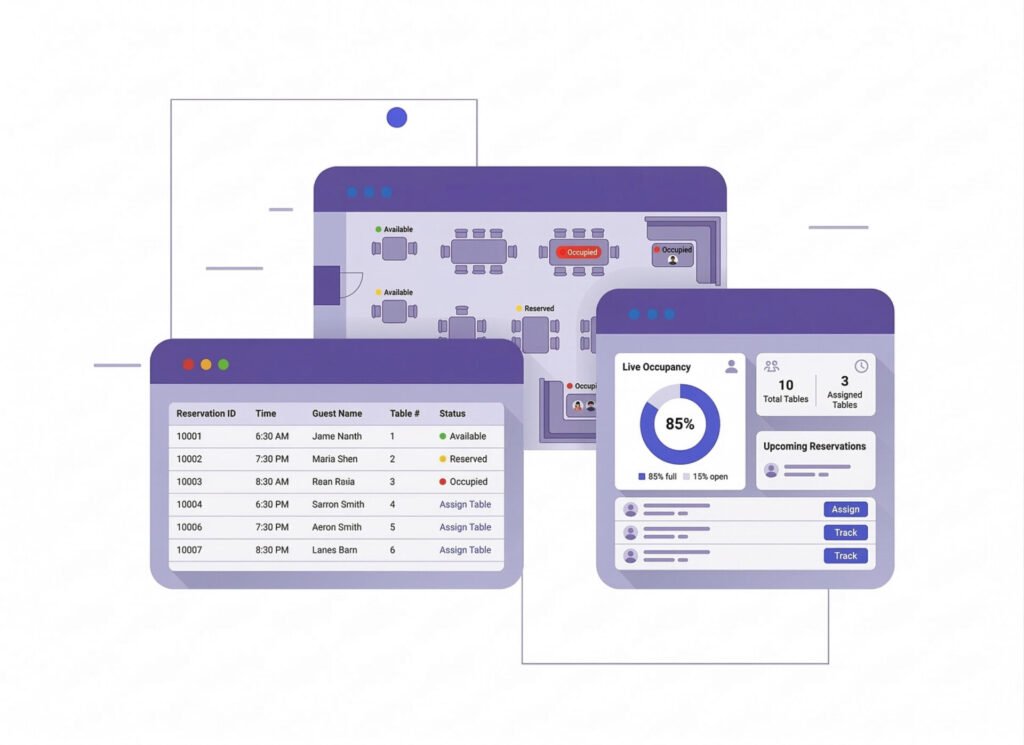
Billing and invoices for every table
Raise the invoice the moment a table asks for the bill. Split one table's bill between guests, see new, ongoing and confirmed orders together on one screen, and create each POS invoice in a tap.
- Free, running and food-ready tables at a glance
- Split the bill, move an order or merge two tables
- Only new items go to the kitchen as a KOT
- The invoice prints the moment a table asks
- Tables, orders and KOT keep working offline
-
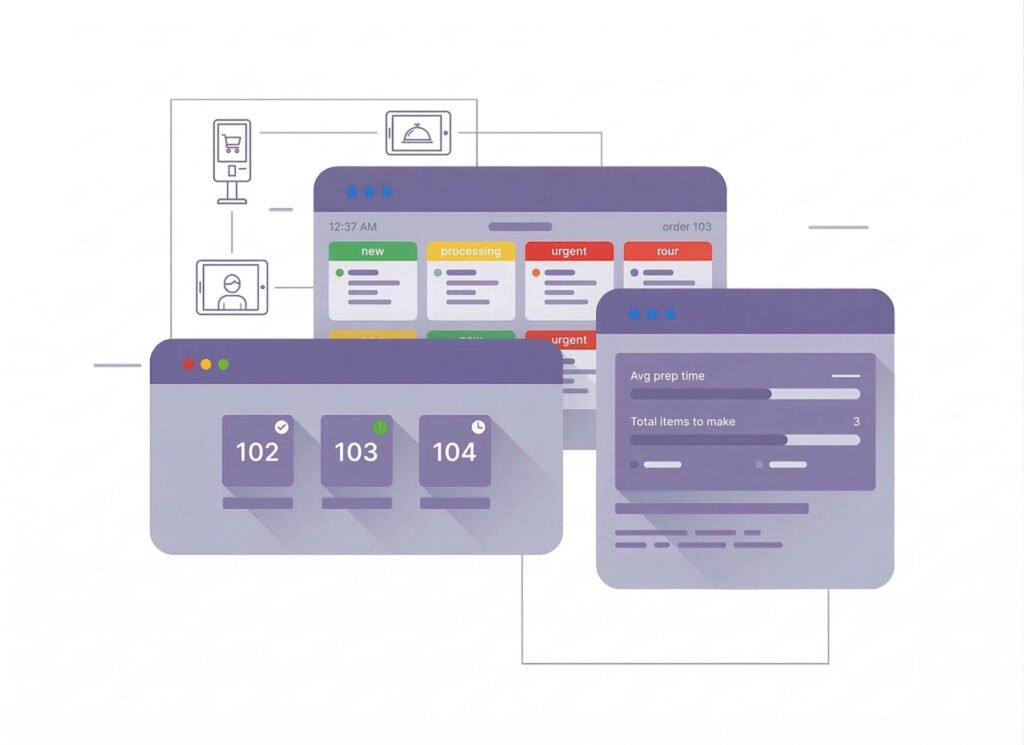
Dine-in and online orders together
Take orders from the dining room and from online customers in one system. Stock updates across both channels as each order comes in, so the kitchen and your online menu draw on the same count.
- Dine-in, takeaway and delivery in one order list
- Online orders draw on the same stock
- The kitchen screen shows New, Cooking, Ready and Served
- Stock updates as each order comes in
- Sales reports for every channel together
-
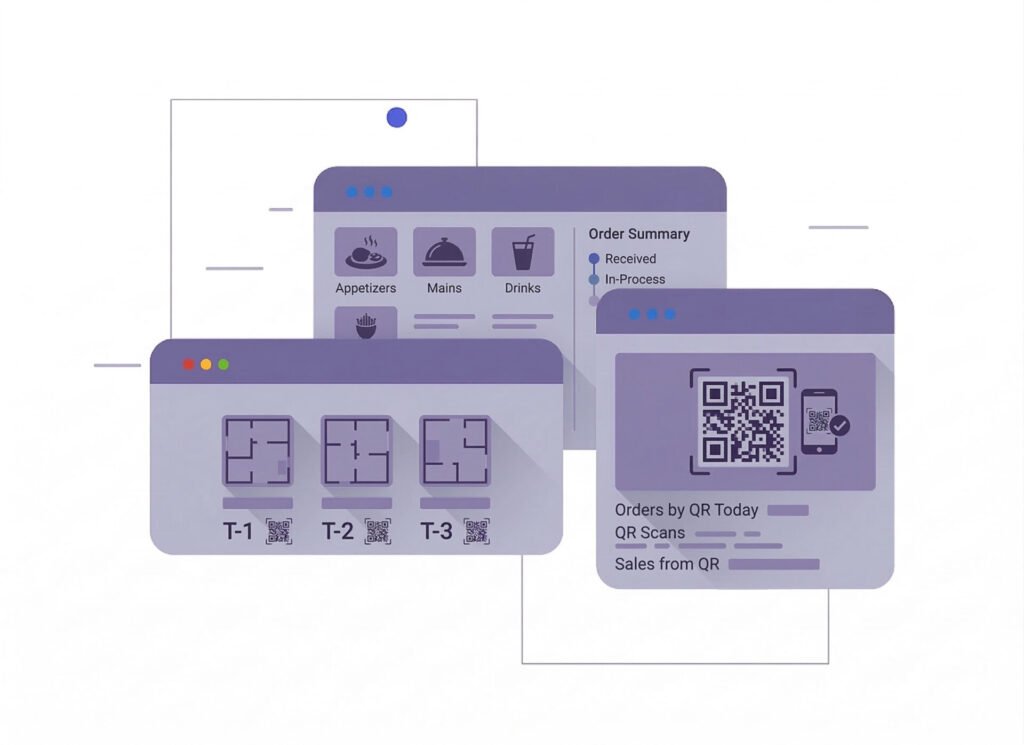
QR code ordering at the table
Each table has its own QR code. Guests scan it to browse the menu, place an order and pay from their phones, and the order reaches the POS already linked to their table.
- Every table has its own QR code
- Guests browse the menu and order from their phones
- Orders arrive already linked to the table
- Guests can pay from the table
Powerful Core Modules for Business Management in GPOS Systems
Multi business / Multi Branch
- Separate Business Profiles with BackOffice
- Branch-Level User Permissions
- Inventory Management Across Branches
- Branch-Specific Real-Time Reporting
- Chain Shops and Multiple Businesses on One Platform

BackOffice
- Advanced Reporting and Business Analytics
- Inventory Management and Control
- Promotions and Discounts Management
- Real-Time Reporting and Automation
- Employee Management and Expense Control

Multi Warehouse
- Centralized Inventory Control
- Stock Transfers Between Warehouses
- Warehouse-Specific Stock Allocation
- Location-Based Reporting and Insights
- Integration with Shipping and Logistics

Communication
- Centralized Notifications and Alerts
- Internal Messaging System
- Customer Communication
- Integration with External Communication Tools
- Communication Logs and History
Accounting
- Real-Time Financial Tracking
- Tax Calculation and Compliance
- Multi-Currency Support
- Financial Reporting and Insights
- Profit and Loss Analysis

Advertisements
- Campaign Creation and Management
- Digital Display Integration
- Customer Segmentation and Targeting
- Performance Tracking and Analytics
- Upselling and Cross-Selling Promotions
HRM
- Employee Profiles and Roles
- Attendance and Shift Management
- Payroll Integration
- Performance Monitoring
- Training and Compliance

CRM
- Customer Profiles and History
- Loyalty and Rewards Programs
- Targeted Marketing Campaigns
- Feedback and Reviews Management
- Enhanced Customer Service
Customer stories
User Feedback
Shop owners on what changed after their billing, stock and accounts moved to GPOS.
GPOS System has transformed our salon and spa operations. Billing, accounting, and inventory management are now faster, more accurate, and easier to track. It saves us valuable time every day and helps us serve customers better
We use GPOS System to manage billing, accounting, and inventory for our electronics store. It is fast, reliable, and easy to use. The real-time reports and stock management features have improved our efficiency, reduced errors in our everyday business operations
Using GPOS System for our Engine Oil distribution business has transformed operations. Billing, inventory, and accounting are now faster, accurate, and well-organized. Real-time stock tracking and detailed reports help us make better business decisions every day
I use GPOS System for my computer hardware business to manage billing, inventory, and accounting. It is reliable, easy to use, saves time, improves accuracy, and helps me efficiently manage daily business operations and stock control in single software
We use GPOS System in our supershop to manage billing, accounting, and inventory. It’s fast, reliable, and easy to use. The system has improved our efficiency and helped streamline daily operations significantly
We use GPOS System in our IT Shop every day. It’s fast, reliable, and easy to use. Inventory, sales, and billing are now fully organized, helping us save time and improve customer service. I highly recommend it for any IT shop
We've been using GPOS System at Adnan Drug House, and it has significantly improved our daily operations. Inventory tracking, billing, and reporting are now faster and more accurate. Highly recommended
GPOS makes billing, inventory, and sales management easy. Manage products, clients, and reports in one for trading businesses. Highly recommended for trading business that wants to manage effortlessly!
GPOS System has been a great solution for our bike shop. It makes billing, inventory management, and sales tracking simple and efficient. Managing spare parts, customers, and reports is now much easier
GPOS System has been an excellent solution for our toy shop. It simplifies billing, inventory management, and sales tracking, making daily operations much more efficient. Managing products, customers, and reports is now easy
GPOS System has been a game-changer for our pharmacy. It makes billing, inventory control, and sales management fast and accurate. Managing medicines, stock levels, customers, and reports is now much easier
Safa Departmental Store has greatly benefited from using GPOS System. It has simplified billing, inventory management, and sales tracking, making daily operations faster and more efficient
GPOS System has been an excellent solution for our sanitary products business. It simplifies billing, inventory management, and sales tracking, helping us manage stock accurately and serve customers efficiently. The system is fast, reliable, and easy to use
GPOS System has been a valuable asset for our trading business. It makes billing, inventory management, and sales tracking simple and efficient. Managing products, customers, suppliers, and reports is now much easier
GPOS System has transformed the way we manage our fashion store. From billing and inventory tracking to customer management and sales reporting, everything is now organized and efficient. The system is fast, easy to use, and helps us stay on top of stock and trends
GPOS System has been a great addition to our organic products shop. It makes billing, inventory management, and sales tracking simple and efficient. Managing products, customers, and reports is now much easier, helping us save time and improve accuracy
Before you switch
Frequently asked questions
Expert team, 24/7
With dedicated 24/7 support, GPOS goes beyond being just a platform. We are your partner, from setup and data import to training your staff.
- Support
- 24/7, dedicated
- Setup
- Same day, nothing complicated
- Trial
- Free, before you buy
What is a casual dining POS system?
A casual dining POS system runs orders, billing and payments for a sit-down restaurant with a relaxed pace. GPOS adds QR code ordering at the table, split bills, one screen for every open order, promotions on dining-room displays and online orders that share the same stock.
Can guests order and pay from their table?
Yes. Each table gets its own QR code. Guests scan it to browse the menu, place an order and pay from their phones, and the order reaches GPOS already linked to their table.
Can one table split the bill?
Yes. Split one table's bill into separate invoices, so each guest settles their own share without anyone working out the amounts.
How do I keep track of tables on a busy evening?
New, ongoing and confirmed orders appear together on one screen, so the floor manager can see which tables need attention and raise the invoice as soon as a table asks for the bill.
Can I take online orders as well?
Yes. Orders placed online are handled next to dining-room orders, and stock updates across both channels as each order comes in.
Can GPOS run promotions for my diners?
Yes. Run promotions on digital displays in the restaurant, such as a dessert with a main course, group your customers, aim a campaign at one group and track how it performs.
